
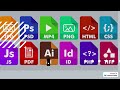
File Extension Visibility Settings

Interactive Video
•
Computers, Instructional Technology
•
5th - 8th Grade
•
Practice Problem
•
Hard

Olivia Brooks
FREE Resource
Read more
5 questions
Show all answers
1.
MULTIPLE CHOICE QUESTION
30 sec • 1 pt
Why is it important to display file extensions in Windows Explorer?
To make files look more organized
To easily identify file types
To hide sensitive information
To increase computer speed
2.
MULTIPLE CHOICE QUESTION
30 sec • 1 pt
Which menu option do you need to access to change the file extension visibility?
File Menu
Edit Menu
View Tab in File Explorer Options
Tools Menu
3.
MULTIPLE CHOICE QUESTION
30 sec • 1 pt
What is the default setting for file extensions in most computers?
Hide extensions for known file types
Show extensions for all file types
Hide all file extensions
Show only image file extensions
4.
MULTIPLE CHOICE QUESTION
30 sec • 1 pt
What happens to the 'Save As' dialog box when you change the file extension visibility setting?
It hides the file extension in the file name
It changes the file type automatically
It shows the file extension in the file name
It does not affect the 'Save As' dialog box
5.
MULTIPLE CHOICE QUESTION
30 sec • 1 pt
Which of the following is NOT affected by changing the file extension visibility setting?
Desktop icons
Save As dialog box
File Explorer
File names in folders
Access all questions and much more by creating a free account
Create resources
Host any resource
Get auto-graded reports

Continue with Google

Continue with Email

Continue with Microsoft
or continue with

%20(1).png)
Apple

Others
By signing up, you agree to our Terms of Service & Privacy Policy
Already have an account?

