Search Header Logo
Micro Bit

Micro Bit

Assessment

Presentation

•

Information Technology (IT)

•

6th - 8th Grade

•

Practice Problem

•

Medium

Created by

Abdalrahman Abdelfadeel

Used 5+ times

FREE Resource

74 Slides • 28 Questions

1

media

2

Multiple Choice

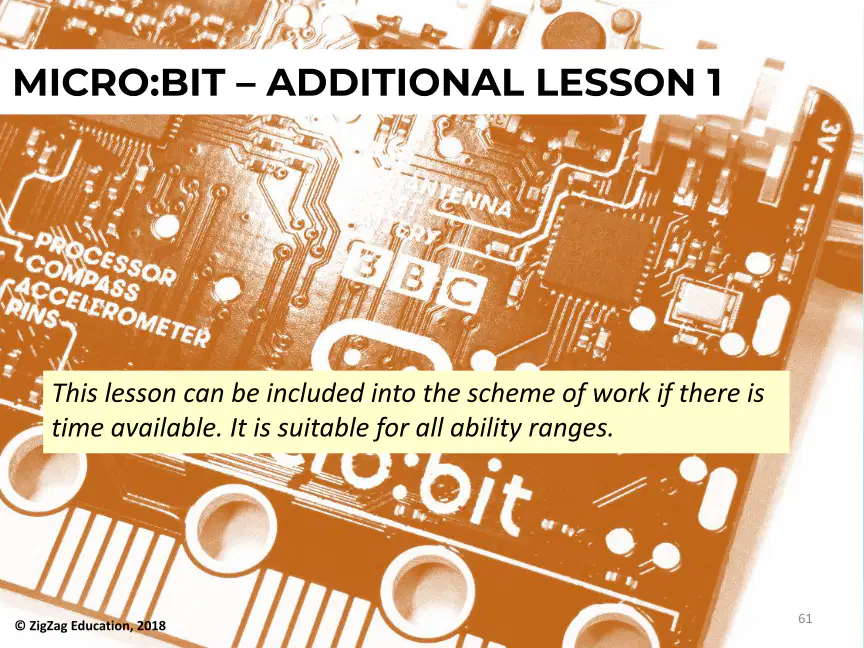
Question image
1

Push Button A and B

2

Compass

3

BLE Antenna

4

Battery Connector

3

Multiple Choice

What is the primary function of the micro:bit?

1

To play games

2

To control robots

3

To teach programming

4

To connect to the internet

4

media

5

media

6

Multiple Choice

What are the key features of the BBC micro:bit?

1

Two programmable buttons

2

16 KB RAM

3

16 MHz processor

4

All of the above

7

media

8

Multiple Choice

What should you do after typing www.microbit.org into your browser?

1

Click on 'Let's Code'

2

Close the browser

3

Refresh the page

4

Go to the home page

9

media

10

Multiple Choice

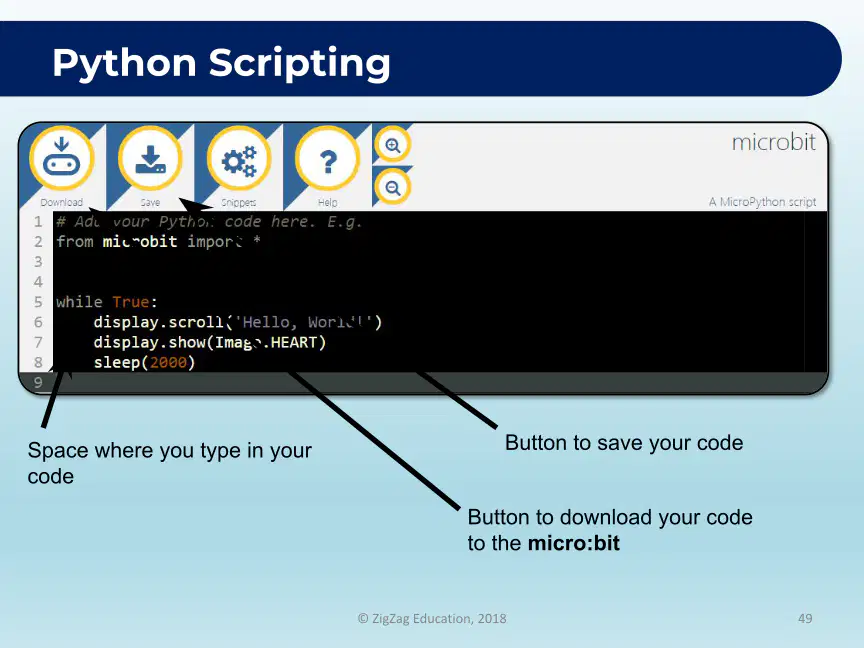
What are the different programming methods offered by Micro:bit?

1

JavaScript

2

Python

3

Blocks

4

All of the above

11

media

12

Multiple Choice

What is the first step to create a basic input button to show LEDs on the micro:bit?

1

Go to https://makecode.microbit.org/

2

Draw a pattern on paper

3

Click on the LEDs

4

Use advanced coding techniques

13

media

14

Multiple Choice

What is the purpose of the code shown in the image?

1

To play music

2

To show LEDs

3

To read input

4

To control variables

15

media

16

Multiple Choice

What is one way to enhance your Scratch project as suggested in the image?

1

Add sound effects

2

Introduce a button to display a different image

3

Change the background color

4

Use a different character

17

media

18

Multiple Choice

What is the objective of the Number Guessing Game?

1

To guess the number in your head

2

To count to ten

3

To shake the micro:bit

4

To display a random number

19

media

20

Open Ended

What do these different tools (which you have used today) do?

21

media

22

media

23

Multiple Choice

What is the step-by-step process for making a perfect cup of tea called?

1

Recipe

2

Algorithm

3

Procedure

4

Method

24

media

25

media

26

Multiple Choice

What are the two key programming terms defined in the image?

1

Abstraction and Decomposition

2

Compilation and Execution

3

Debugging and Testing

4

Integration and Deployment

27

media

28

Multiple Choice

What are the three main stages of making tea as illustrated in the diagram?

1

Input

2

Process

3

Output

4

Ingredients

29

media

30

Multiple Choice

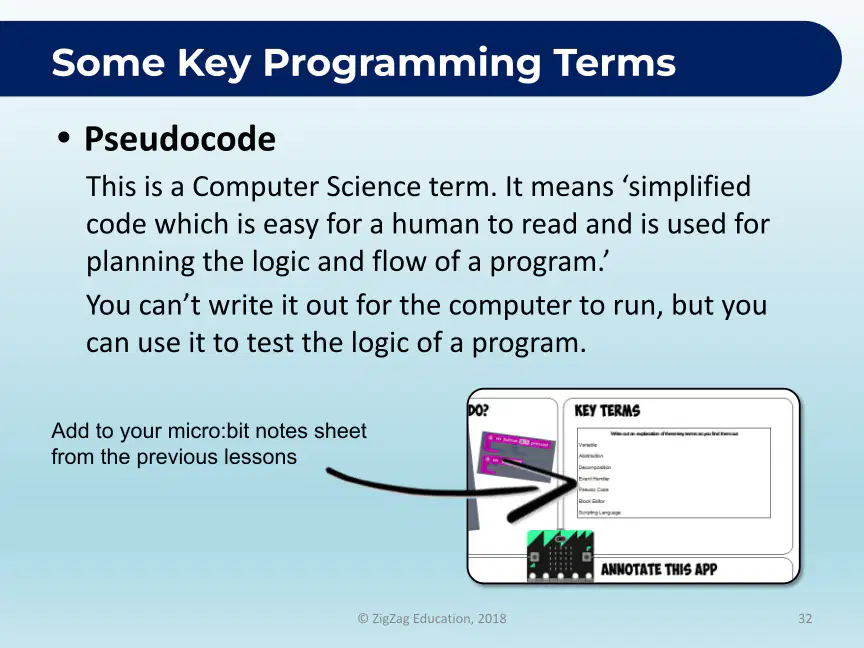
What is an Event Handler in programming?

1

A type of variable

2

A block of code that runs when an event happens

3

A function that returns a value

4

A method for debugging code

31

media

32

Open Ended

What code blocks do you think you might need for the micro:bit guessing game?

33

media

34

Multiple Choice

What does the micro:bit display if the user guesses correctly?

1

A sad face

2

A smiley face

3

Nothing

4

An error message

35

media

36

Multiple Choice

What is the main objective of the Micro:bit Activities – Lesson 2?

1

To create a random number generator

2

To guess a random number

3

To learn about programming languages

4

To design a game interface

37

media

38

Multiple Choice

What does the block within the 'Input' tab do when the micro:bit is shaken?

1

It detects the temperature

2

It detects when the user has shaken the micro:bit

3

It plays a sound

4

It turns on the LED

39

Multiple Choice

(red) make variable
1
Variables
2
Loops
3
Logic
4
Input

40

Multiple Choice

Question image

These blocks are found in the ____ drawer.

1

logic

2

variables

3

math

41

Multiple Choice

Question image

In this program, the block "score" is a/an

1

input

2

event handler

3

variable

42

Multiple Choice

Question image

This program uses ____ variables.

1

1

2

2

3

3

43

media

44

Multiple Choice

What does the micro:bit display when button A is pressed and the 'choice' variable is 0?

1

A sad face

2

A smiley face

3

No display

4

An error message

45

media

46

Multiple Choice

What does documenting what you have done allow you to do later on?

1

Understand it better

2

Forget it easily

3

Ignore it completely

4

Make it more complicated

47

media

48

Multiple Choice

What is the purpose of the event handler for button A in the micro:bit code?

1

To set a variable

2

To pick a random number

3

To show a number

4

To handle button presses

49

media

50

Multiple Choice

What should the 'choice' variable be changed to in order to represent a random number?

1

A fixed number

2

A random number between 0 and 2

3

A random number between 1 and 10

4

A random number between 0 and 5

51

media

52

Open Ended

Can you add any notes to your micro:bit notes sheet, such as what the Blocks Editor is which you have been using? What is a variable?

53

media

54

Multiple Choice

What is the main function of the micro:bit's processor?

1

To store data

2

To process information

3

To connect to the internet

4

To display graphics

55

media

56

media

57

media

58

media

59

media

60

media

61

media

62

media

63

media

64

media

65

media

66

media

67

media

68

media

69

media

70

media

71

media

72

media

73

media

74

media

75

media

76

media

77

media

78

media

79

media

80

media

81

media

82

media

83

media

84

media

85

media

86

media

87

media

88

media

89

media

90

media

91

media

92

media

93

media

94

media

95

media

96

media

97

media

98

media

99

media

100

media

101

media

102

media
pattern-tertiary
media

Show answer

Auto Play

Slide 1 / 102

SLIDE