

Illustrator: Digital Graphics Basics

Presentation
•
Design
•
8th Grade
•
Practice Problem
•
Easy

Shamere Jackson
Used 1+ times
FREE Resource
38 Slides • 26 Questions
1

2

3
Multiple Choice
Which of the following best describes the role of color in digital images?
It enhances visual appeal and conveys information.
It only makes images brighter.
It is not important in digital graphics.
It is used only for backgrounds.
4
Open Ended
Why is understanding digital graphics terminology important for creating effective digital images?
5

6

7

8
Multiple Choice
Which of the following are fundamental concepts necessary for designing effective, high-quality visuals in digital graphics?
Resolution, color management, size, file formats
Brightness, contrast, saturation, hue
Layers, filters, gradients, masks
Animation, transitions, sound, video
9

10
Multiple Choice
Which of the following best describes the difference between high-resolution and low-resolution images?
High-resolution images have more pixels and appear sharper, while low-resolution images have fewer pixels and appear blocky or blurry
High-resolution images use more colors, while low-resolution images use fewer colors
High-resolution images are larger in file size, while low-resolution images are smaller
High-resolution images are only used for print, while low-resolution images are only used for web
11
Open Ended
Explain how resolution affects the final output of a digital design and why it is important to consider when creating images.
12

13
Multiple Select
Which of the following statements about pixels is/are correct?
Pixels are tiny squares from which digital images are composed
A normal photograph contains millions of pixels
Each pixel can display multiple colors at once
An individual pixel is a single color
14
Fill in the Blanks
Type answer...
15

16
Open Ended
What does PPI stand for, and how is it different from DPI in the context of digital graphics?
17

18
Multiple Choice
Which of the following best describes the process of resampling in digital images?
Altering the number of pixels in an image
Changing the color mode of an image
Adjusting the brightness of an image
Cropping the image to a new size
19

20
Multiple Select
Which of the following are valid units for measuring image size?
Pixels
Inches
Centimeters
Megabytes
21
Fill in the Blanks
Type answer...
22

23
Open Ended
What is the importance of maintaining proportionality when resizing illustrations in Adobe Illustrator?
24

25

26

27
Multiple Choice
What happens during the rendering process in Adobe Illustrator?
Vector artwork is converted into another form
The color mode of the image is changed
The file is compressed for storage
The image is cropped to a new size
28

29

30
Multiple Select
Which of the following are characteristics of raster images?
Are made from pixels
Can be infinitely scaled without loss of quality
Are often called bitmaps
Have a limit to the size they can be enlarged before appearing pixelated
31

32
Open Ended
Explain why vector images can be scaled infinitely without losing quality, while raster images cannot.
33
Multiple Choice
Which of the following statements best describes the main difference between raster and vector images?
Raster images are made from pixels, while vector images are made from paths and mathematical formulas.
Raster images can be infinitely scaled without loss of quality, while vector images become pixelated when scaled.
Vector images are captured on a digital camera, while raster images are created using anchor points.
Vector images are always larger in file size than raster images.
34

35
Fill in the Blanks
Type answer...
36

37
Open Ended
What is rasterizing and why might it be necessary when working with vector images in Adobe Illustrator?
38

39
Multiple Choice
When creating a logo entirely on a computer, which file formats should vector images be saved in?
AI or SVG
JPG or PNG
GIF or BMP
PDF or DOCX
40

41
Multiple Choice
Which of the following is NOT a common example of an object in Adobe Illustrator?
Button
Shape
Sprite
Layer
42

43

44
Multiple Choice
Which of the following are purposes for using color in digital graphics?
Guiding visual hierarchy
Creating brand identities
Conveying emotion and mood
All of the above
45
Open Ended
Explain how color can be used to guide visual hierarchy and create brand identities in digital graphics.
46
47
Multiple Select
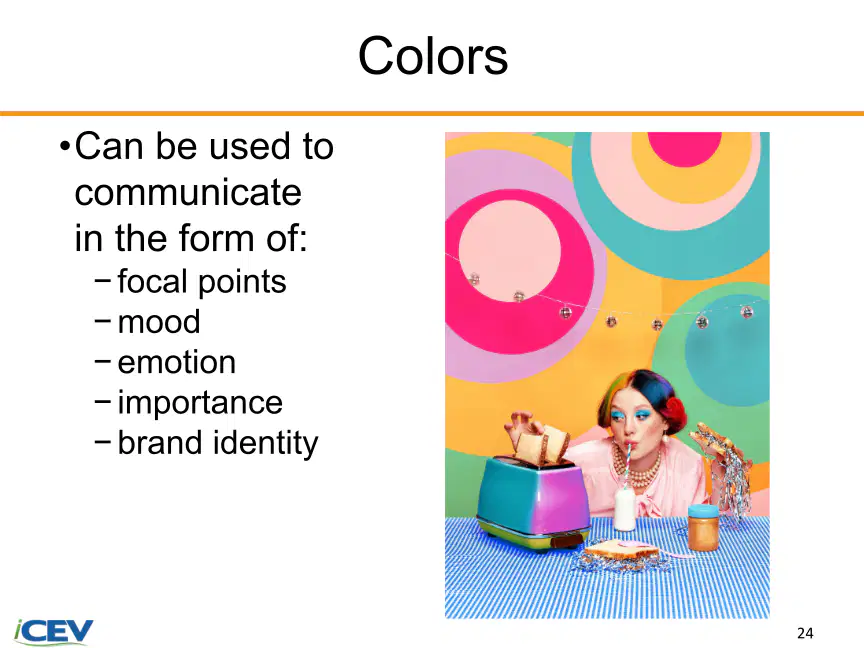
Select all the ways colors can communicate in digital graphics.
Focal points
Mood
Emotion
Texture
48

49
Fill in the Blanks
Type answer...
50
51
Open Ended
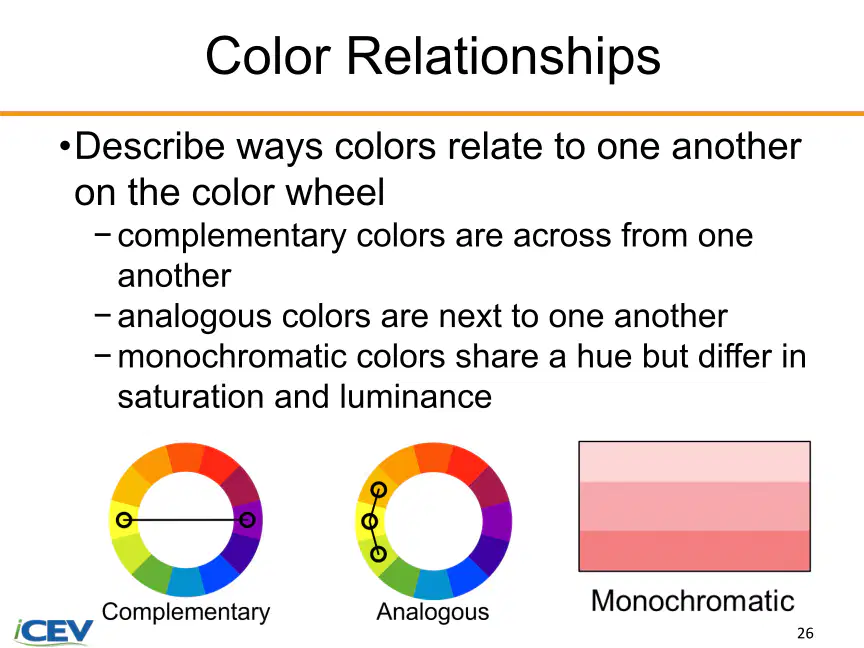
Describe the differences between complementary, analogous, and monochromatic color relationships.
52
53
54
55
56
57
58
59
60
61
62
63
64
Open Ended
What is one key concept you learned today about digital graphics terminology or the use of color in digital images?
Show answer
Auto Play
Slide 1 / 64
SLIDE
Similar Resources on Wayground

55 questions
Physics TEKS
Presentation
•
7th Grade
53 questions
Pharmacy monday IV final
Presentation
•
KG
58 questions
Unit 1 Lesson 1 8vo
Presentation
•
8th Grade
55 questions
Selection and care of clothing
Presentation
•
8th Grade
58 questions
Populations, Microscopes, and Humans
Presentation
•
9th Grade
55 questions
Microscopy and Cell Theory
Presentation
•
8th Grade
57 questions
HISTORY OF COMPUTER
Presentation
•
7th Grade
56 questions
Writing Poetry
Presentation
•
9th Grade
Popular Resources on Wayground
24 questions
PBIS-HGMS Day 10

Quiz
•
6th - 8th Grade
10 questions
HCS SCI 03 Summer School Review 3
Quiz
•
3rd Grade
11 questions
Home Scope
Quiz
•
7th - 8th Grade
15 questions
HCS SCI 05 Summer School Assessment 3 Review
Quiz
•
5th Grade
35 questions
Lufkin Road Middle School Student Handbook & Policies Assessment
Quiz
•
7th Grade
18 questions
Geo 11.3 Area of Circles and Sectors
Quiz
•
9th - 11th Grade