

Net+ 3.1 Slides

Presentation
•
Information Technology (IT)
•
11th Grade
•
Practice Problem
•
Easy

Sean Carchidi
Used 1+ times
FREE Resource
32 Slides • 17 Questions
1

2

3

4
Match
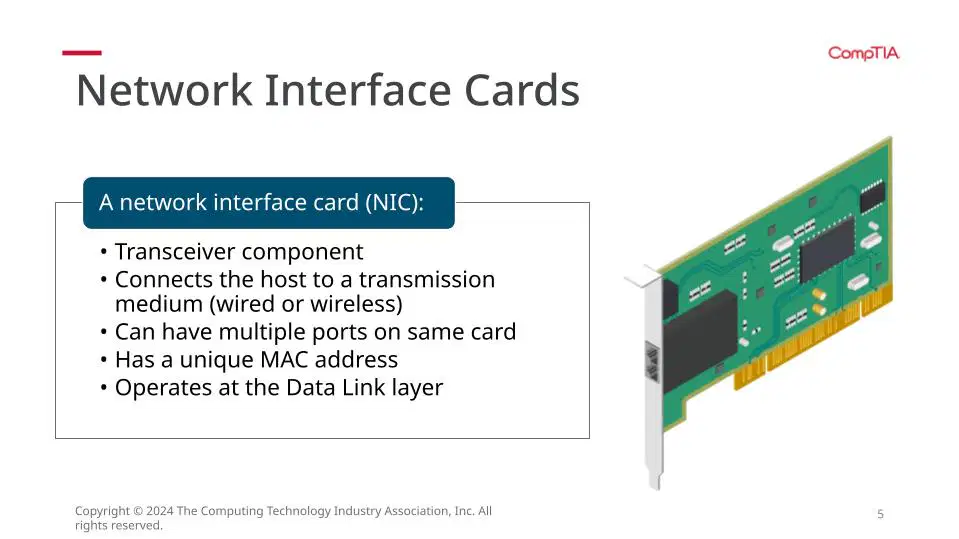
Network interface cards
Transceiver
Connects the host
can have multiple
has a unique
operates at the
Component
to a transmission medium
ports on same card
MAC address
data link layer
Component
to a transmission medium
ports on same card
MAC address
data link layer
5

6
Open Ended
Mark was in the middle of an intense online game when his character suddenly froze. He tried moving his character, but nothing happened. Annoyed, he refreshed the game, but it wouldn't connect. He checked his internet connection - full bars! Confused, he ran a speed test. The results? Abysmal download and upload speeds. Mark sighed. This wasn't the first time this had happened. It seemed like his internet connection kept cutting in and out or was just painfully slow. Could it be a problem with his NIC?
7
Open Ended
Sarah was finishing up an important assignment when her laptop suddenly disconnected from the Wi-Fi. She tried reconnecting, but her computer wouldn't detect any available networks. Frantic, she opened her Device Manager and saw a yellow exclamation mark next to her network adapter. Clicking on it, she received an error message she didn't understand. Without internet access, Sarah couldn't submit her assignment. Was this a problem with her network card (NIC)?
8
Dropdown

Network setting
9

10

Transceivers are designed for use when using multiple types of cabling. Enterprise servers, switches, and routers, are available with modular hot-swappable transceivers for different types of fiber optic and copper connections.
They operate at the data link layer which is responsible for putting the data onto the wire and pulling it off the wire (send/receive).
Search Online for SFP/SFP+ & GSFP/QSFP+
Modular Transceivers
11
Multiple Choice
Transceivers operate at the Data Link Layer because
they send/receive data on the wire
they only send data on the wire
they only receive data on the wire
they send/receive data on the switch
12

A growing company needed to upgrade its network infrastructure to handle increased bandwidth demands. However, they had a mix of different fiber optic cable types across their various buildings. Replacing all the cables would be expensive and time-consuming. The solution? Modular transceivers! By utilizing transceivers compatible with their existing network switches but designed for the specific fiber they needed, the company could easily upgrade their network without ripping out all their existing cabling. The modularity of the transceivers saved them time and money.
Example
13

A conference center was hosting a major event with international participants. They needed to ensure a reliable and high-speed network connection for all attendees, However, some of the conference rooms were located at a significant distance from the main network hub. Traditional copper cables wouldn't suffice for such long distances. The solution? Modular transceivers designed for fiber optic cables. By installing fiber optic cables and compatible transceivers in the remote conference rooms, the center could provide a strong and reliable network connection for all participants no matter their location.
Example
14
Open Ended
After reading the two examples, explain the benefits of having modular transceivers.
15

16
Duplex Settings
Half-Duplex - data flows in one direction at a time
Full Duplex - data flows in both directions at once
17
Multiple Choice
When data can only flow one direction at a time, what duplex would that be?
18
Multiple Choice
When data can flow in both directions at once, what duplex would that be?
19

Different transceivers are designed to work at different optical wavelengths (typically 850 nm, 1300 nm, or 1550 nm) and support different Ethernet standards and bit rates. This means it is important to check the manufacturer's documentation for the interface to ensure the correct fiber type is used, not only for the fiber optic cable, but also for the fiber patch cords used to connect to it at each end. Mismatches between cable, patch cords, and interfaces may lead to significant signal loss.
Transceiver Mismatch Issues
20
Multiple Select
Where could potential mismatches happen with fiber networking?
cable
patch cords
interfaces
data link layer
21

Physical Obstacles
Radio Wave interference
Power Levels
Faulty Devices
Signal Strength Issues
22

Based on:
Length of cable
Connectors
Splices
Fiber Loss
23

Depends, but loss budget must be less than power budget
if Tx is -8 dBm and Rx is -15dBm then power budget is 7db (to make up the difference)
Loss Budgets
24

optical link budget - amount of loss suffered by all components along a fiber transmission path
Fiber Signal Facts
25
Multiple Choice
True or False: every cable will experience loss of signal, even if everything is perfect
True
False
26
John, an IT technician, was troubleshooting a network outage in a recently renovated office space. Everything seemed to be connected properly, but no devices in the new section could access the network. John double-checked the cables and switch ports, but everything looked good. Finally, he realized a crucial detail - the new network jacks were designed for a different type of fiber optic connector than the transceivers installed in the switch. This mismatch in port types prevented any signal from passing through, causing the network outage. John quickly replaced the transceivers with ones compatible with the new jacks, and voila! The network in the new office space sprang to life.
Example
27
Sarah was video conferencing with a colleague located in a different country. The call started smoothly, but soon the video became choppy and pixelated, making communication difficult. Sarah suspected a network issue. She checked the network monitoring tools and noticed the signal strength coming from the transceiver connected to the video conferencing equipment was dropping significantly. This weak signal resulted in poor video quality. The problem could be due to a faulty transceiver, a damaged fiber optic cable, or even dust on the transceiver connector. By diagnosing the cause of the weak signal and taking corrective action (replacing the transceiver, repairing the cable, or cleaning the connector), Sarah could ensure clear and uninterrupted video calls.
Example
28
Open Ended
In the first scenario, John made a mistake; what was it?
29

30

preamble and sfd are used for clock sync as part of CSMA/CD to identify collisions
consists of 8 bytes, SFD ends with 11
Technically not part of the frame
Preamble
31

2 bytes
indicates type of protocol in the frame payload
IPv4 = 0x0800
IPv6 = 0x86DD
EtherType
32
Known as the FCS = frame check sequence
4 bytes
based on a calculation; if receiver performs same calculation, it will accept the frame
if fails, a higher layer will handle retransmission
Error Checking
33

Examine the frame
34

35
In a frame, MAC addresses refer to source and destination!
36
Examine the MAC addresses
37
Multiple Choice

The first 6 hex digits are known as the
organizationally unique identifier
Device ID
MAC address
original unique identifier
38
Multiple Choice
Choose the correct 48 bit MAC address
2D:45:19:87:C8:E2
2D:45:19:87:C8
2D:45:19:87:C8:G2
2D::19:87:C8:E2
39

40
Broadcast - exactly like our all-call over speakers
41
Broadcast - ARPs / network discovery / Wake On Lan
42
Broadcasts - when there are too many, NETWORK ISSUES!
43
Broadcasts - takes time to process = slow network performance
44
Unicast- one sent to an individual host
Destination MAC is the HOST MAC
45
Multiple Choice
When all hosts on a network has to process a request, this is known as a
broadcast
unicast
netcast
vericast
46
Multiple Choice
When one host is reached on a network for a request, this is known as a
broadcast
unicast
netcast
vericast
47
Open Ended
Explore the back table: find a switch that has both copper cabling and fiber cabling compatibility; locate the SWITCH MODEL number and put it as your answer
48
Word Cloud
One word that sticks out to you...
49

Show answer
Auto Play
Slide 1 / 49
SLIDE
Similar Resources on Wayground

43 questions
Higher Cognitive Processes and Deveopment
Presentation
•
11th Grade
44 questions
Unit 1: Generation gap :Language
Presentation
•
11th Grade
46 questions
Exploring Angle Pairs
Presentation
•
10th Grade
44 questions
Simple Present Lesson
Presentation
•
KG
45 questions
Commonly Confused Words
Presentation
•
10th - 11th Grade
45 questions
Unit 1 - Sustainability Review
Presentation
•
11th Grade
40 questions
Searching and Sorting Algorithms
Presentation
•
11th Grade
46 questions
Memory and Storage
Presentation
•
11th Grade
Popular Resources on Wayground
24 questions
PBIS-HGMS Day 10

Quiz
•
6th - 8th Grade
10 questions
HCS SCI 03 Summer School Review 3
Quiz
•
3rd Grade
11 questions
Home Scope
Quiz
•
7th - 8th Grade
15 questions
HCS SCI 05 Summer School Assessment 3 Review
Quiz
•
5th Grade
35 questions
Lufkin Road Middle School Student Handbook & Policies Assessment
Quiz
•
7th Grade
18 questions
Geo 11.3 Area of Circles and Sectors
Quiz
•
9th - 11th Grade