

Quizizz AI certification course - Old and backup

Presentation
•
Instructional Technology
•
•
Practice Problem
•
Medium

Kyle Niemis
Used 1+ times
FREE Resource
154 Slides • 12 Questions
1

2

3

4
5
6
7
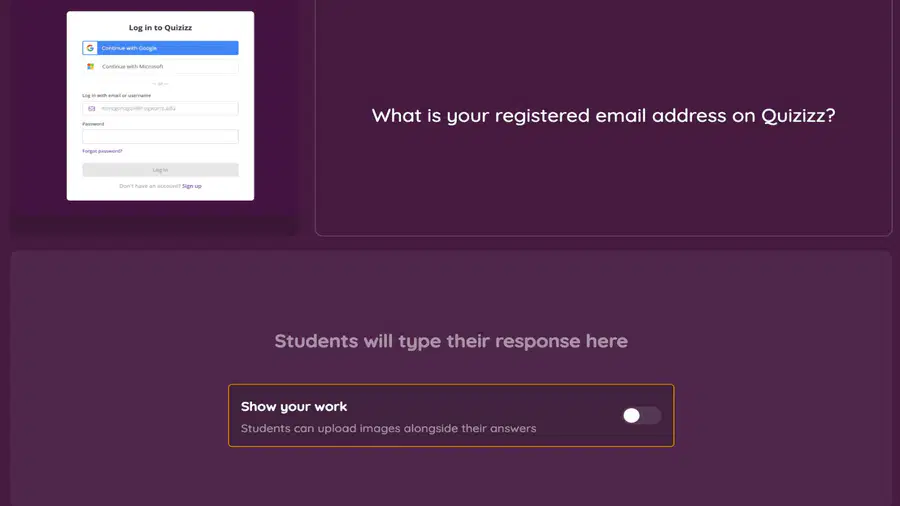
Open Ended

What is your registered email address on Quizizz?
8
Poll

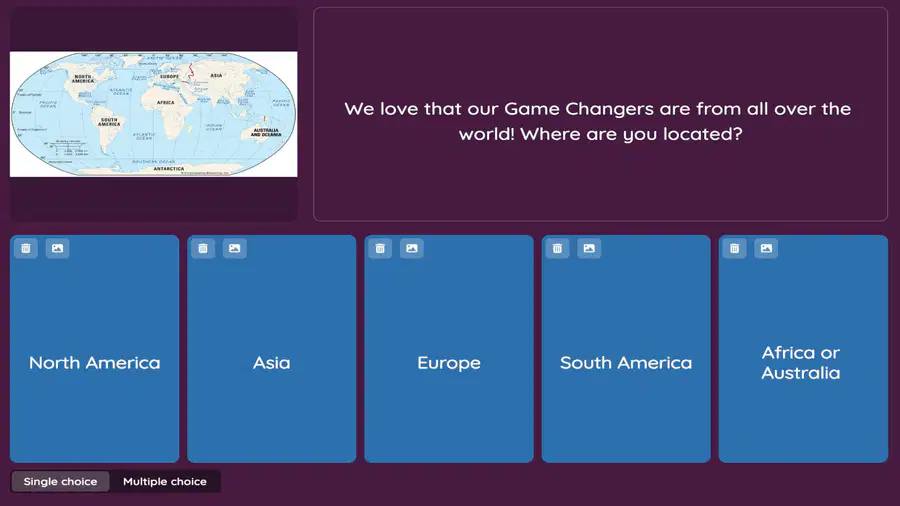
We love that everyone is from all over the world! Where are you located?
North America
Asia
Europe
South America
Africa or Australia
9

10
11


12


14
15


16


17


19
20


21
22

23
24


25
26

27
28


29
30
Download the extension
here and give it a try
You can use your own link OR feel free to use this YouTube video
31
32
Multiple Choice

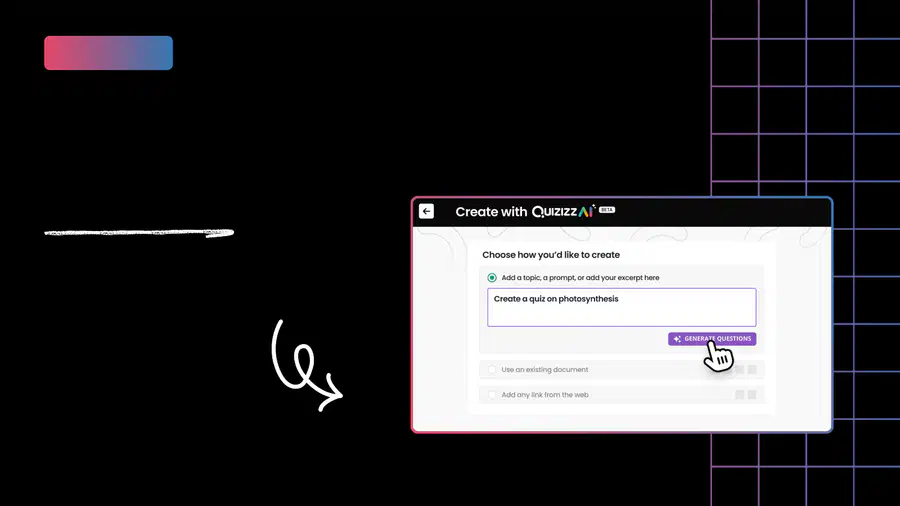
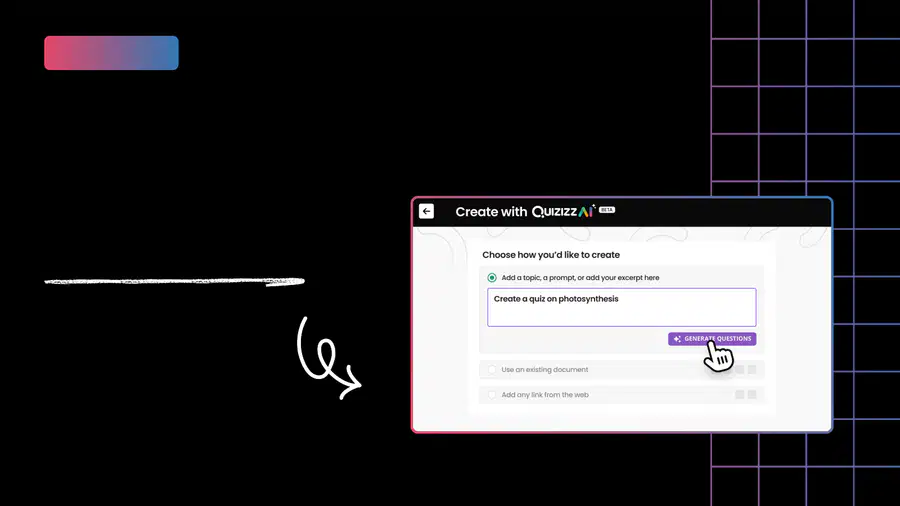
Say you have an excerpt of an article based off of which you want to create a quiz, which section would you use in AI Create to create this Quiz?
Add a topic, prompt or paste your excerpt here
Use an existing document
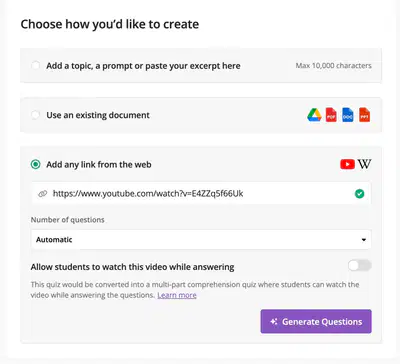
Add any link from the web
33
Hotspot
Pick the right Hotspot:
Say you have an excerpt of an article based on which you want to create a quiz. Which section would you use in AI Create to create this Quiz?
34
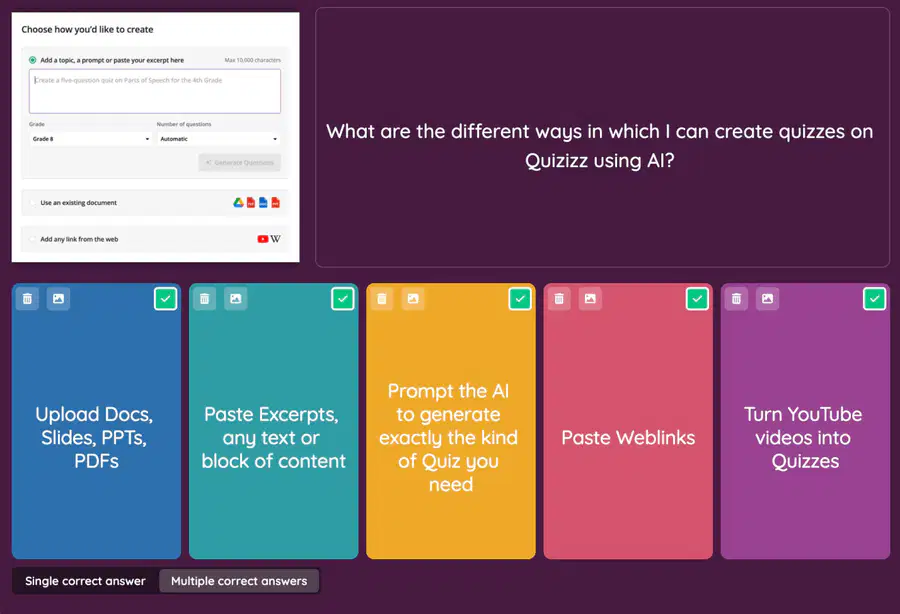
Multiple Select

What are the different ways in which I can create quizzes on Quizizz using AI?
Upload Docs, Slides, PPTs,
PDFs
Paste Excerpts,
any text or
block of content
Prompt the Al
to generate
exactly the kind
of Quiz you
need
Paste Weblinks
Turn YouTube
videos into
Quizzes
35
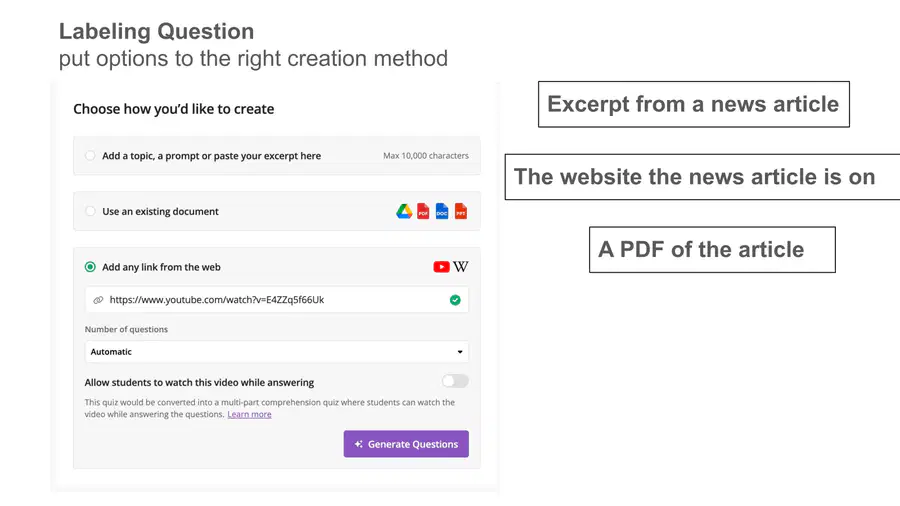
Labeling
Add these different resources to the right section under Quizizz AI Create
The PDF of the article
the website the news article is on
Excerpt from a News Article
36
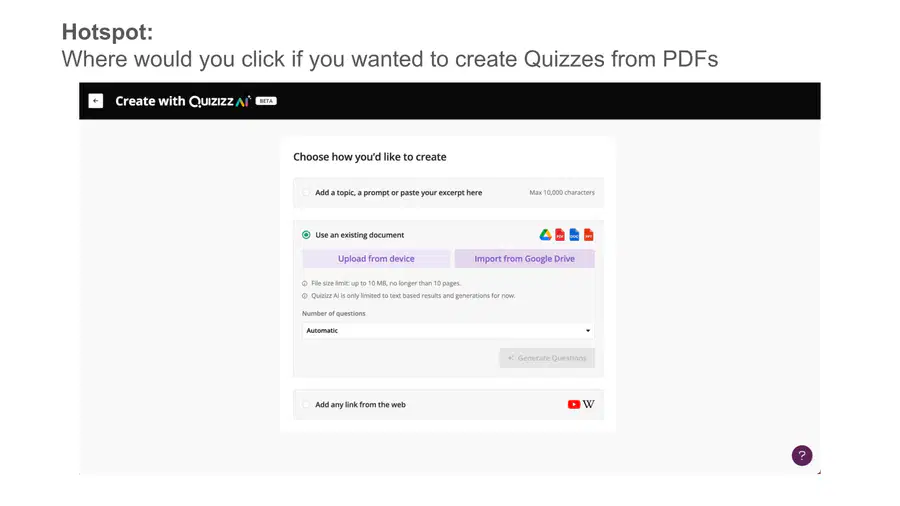
Hotspot
Hotspot:
Where would you click if you wanted to create Quizzes from PDFs you already have
37
Hotspot
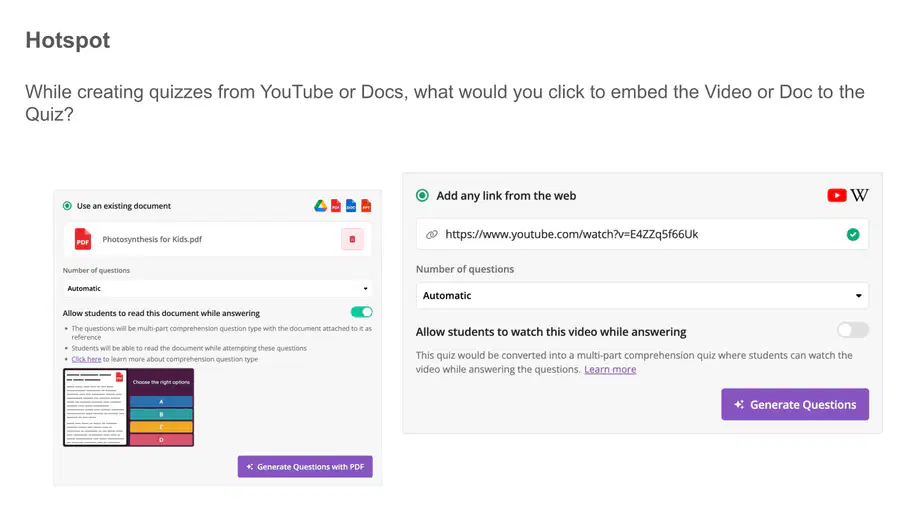
While creating quizzes from YouTube or Docs, what would you click to embed the Video or Doc to the Quiz?
38
39
40
41
42
Multiple Select

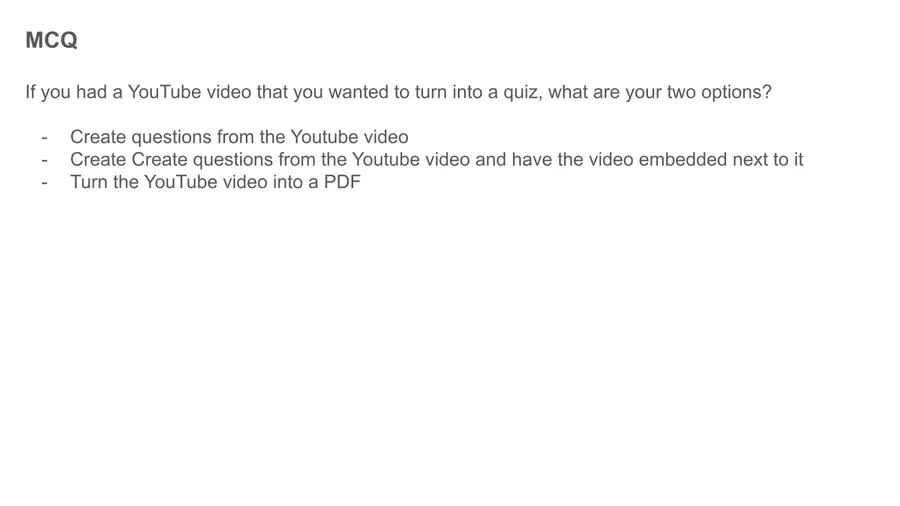
If you had a YouTube video that you wanted to turn into a quiz, what are your two options?
Create questions from the Youtube video
Create questions from the Youtube video and have the video embedded next to it
Copy the link to the video and paste it on Create from a Weblink
Turn the YouTube video into a PDF
Use the Chrome Extension to create a quiz directly from the YouTube video page
43
44
45

46
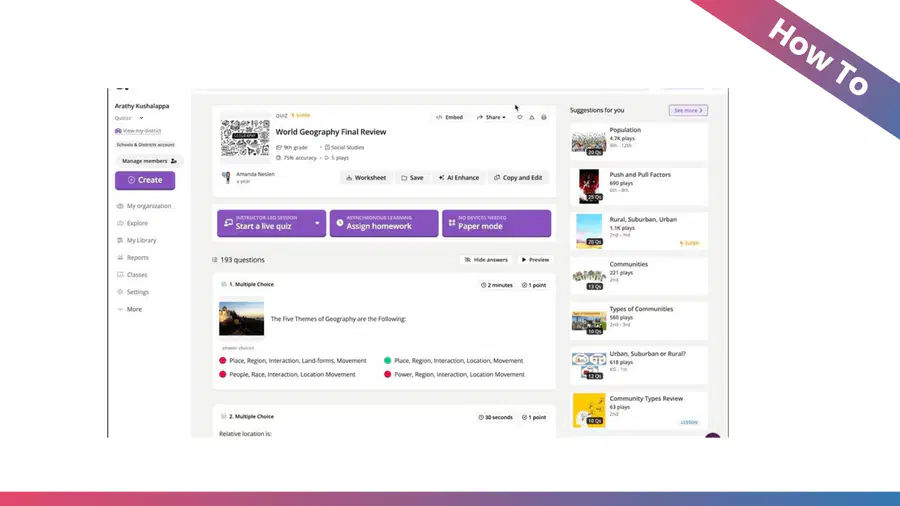

47
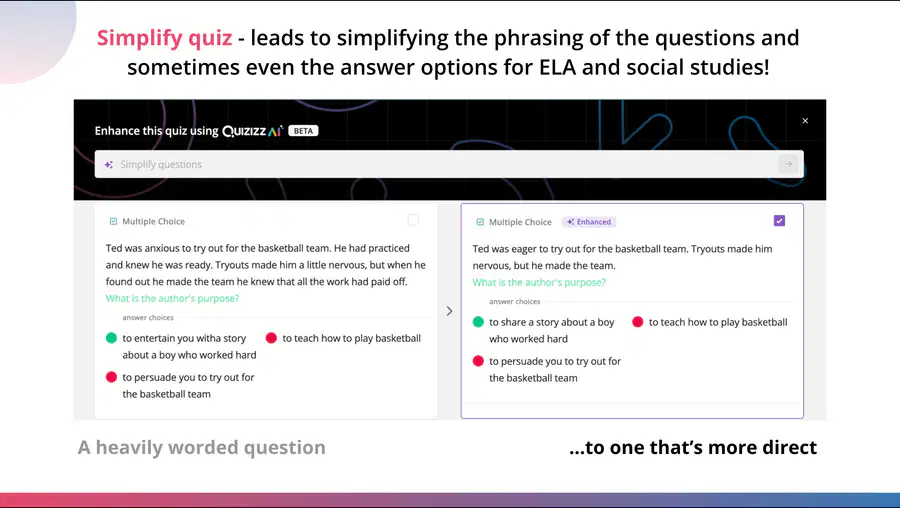
48
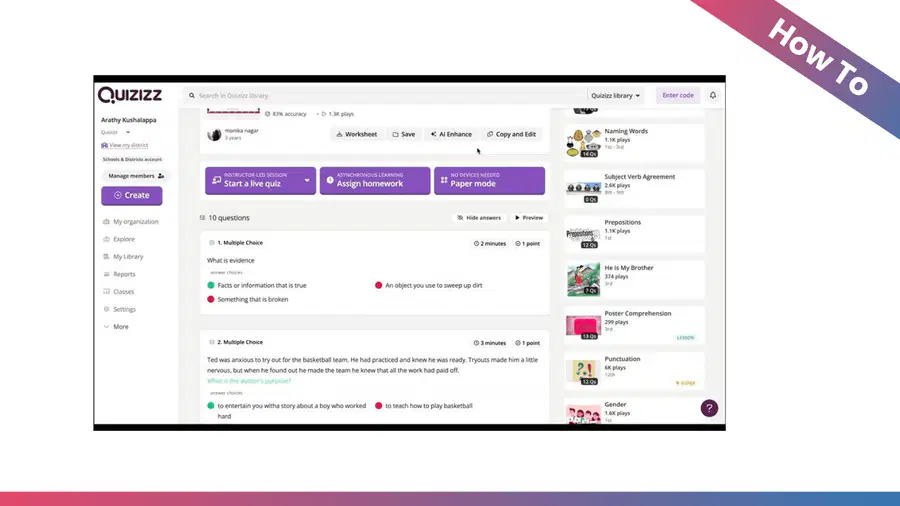
49
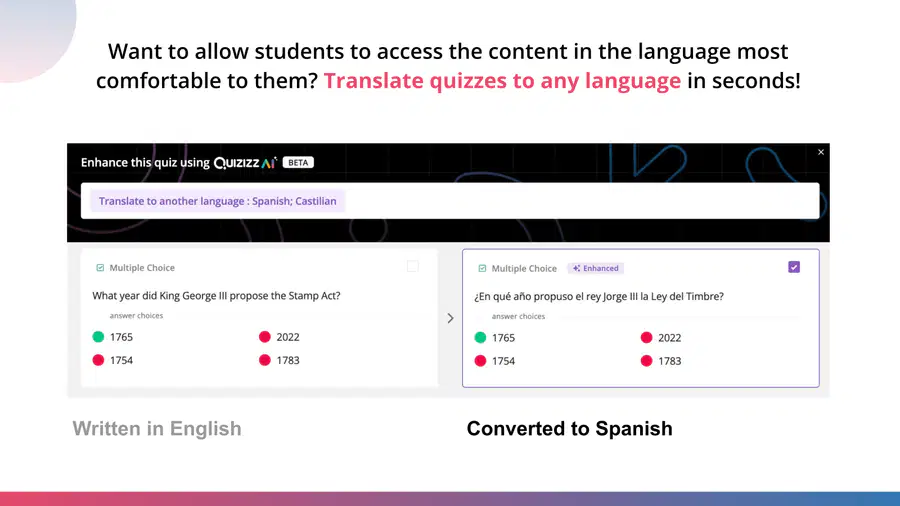
50


51

52


53


54
55
56

57
58
59
60
Hotspot
Where can you access AI Enhance?
Click the hotspots showing AI Enhance - where you can click to add enhancements and adjust your quizzes!
61
62
Multiple Select
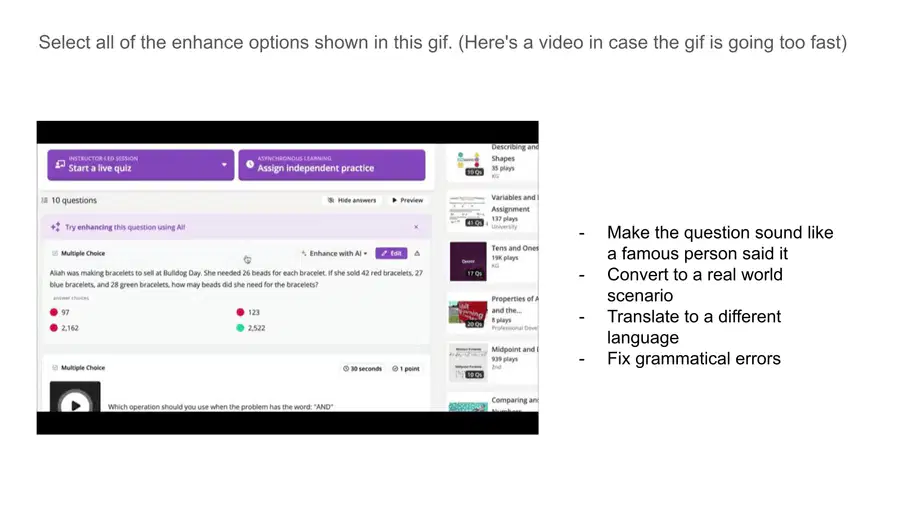
Select all of the enhance options shown in this gif
(Here's a video in case the gif is going too fast)
(ADD GIF/VIDEO LINK - KYLE)
Make the question sound like a famous person said it
Convert to a real world scenario
Translate to a different language
Fix grammatical errors
63
Multiple Choice
If you had to personalize a quiz for an ESL (english as a second language) student who is more comfortable with Spanish, what enhancement would you use on Quizizz AI?
Make it sound like a famous person said it
Translate Quiz to Spanish
Convert to a real world scenario
Fix grammatical errors
64
65
66
67

68
69

70

71

72
73
74
75
76

77
78
79
80

81
82
83
84

85
86

87

88

89

Assets for Design
Link to kyle’s assets
Link to Arathy’s Assets
90
Intro Video to whole course
Video or Arathy and Kyle introducing Course
91

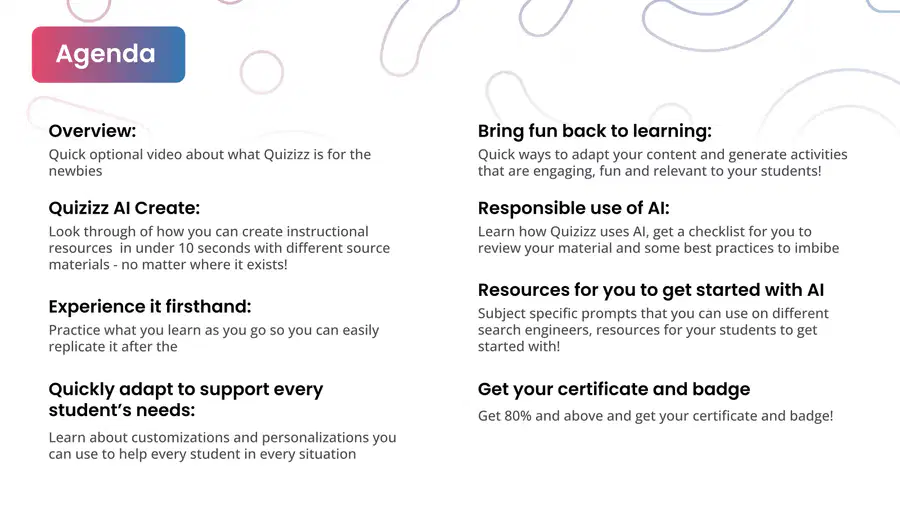
Quick optional video about what Quizizz is for the
newbies
Overview:
Look through of how you can create instructional
resources in under 10 seconds with different source
materials - no matter where it exists!
Quizizz AI Create:
Practice what you learn as you go so you can easily
replicate it after the
Experience it firsthand:
Agenda
Learn about customizations and personalizations you
can use to help every student in every situation
Quickly adapt to support every
student’s needs:
Quick ways to adapt your content and generate activities
that are engaging, fun and relevant to your students!
Bring fun back to learning:
Learn how Quizizz uses AI, get a checklist for you to
review your material and some best practices to imbibe
Responsible use of AI:
Subject specific prompts that you can use on different
search engineers, resources for your students to get
started with!
Resources for you to get started with AI
Get your certificate and badge
Get 80% and above and get your certificate and badge!
92
93
94
Creating
with AI
Create material in seconds
Section 1
95
Intro Video for section 1
Video or Arathy or Kyle introducing Create section
96
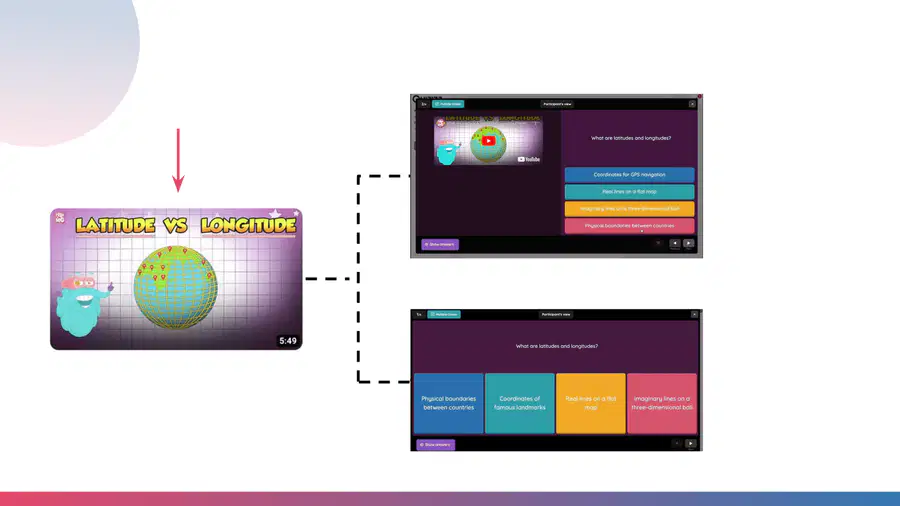
Create a Quiz from
a YouTube Video!
Into a multi-part
comprehension
quiz with the
video embedded
Or fun quiz about
the video!
97
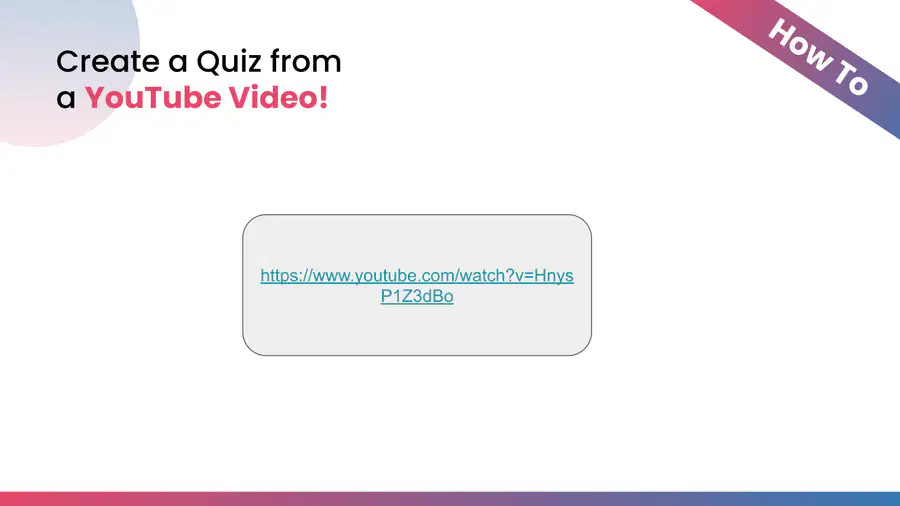
Create a Quiz from
a YouTube Video!
https://www.youtube.com/watch?v=HnysP1Z3dBo
How To
98



Take it for a
test run on
the next slide
You can grab your own YouTube video or copy and paste this one:
https://www.youtube.com/watch?v=cwUuVdF8ohY
99

https://quizizz.com/admin?createUsingAI=true&forLesson=false
100
Create a Quiz
from a PDF!
We don’t want you spending hours
transcribing your PDFs, your slides or
existing materials into Quizzes - just upload
them on Quizizz AI and have a quiz ready in
under 10 seconds.
We’ll show you how!
101
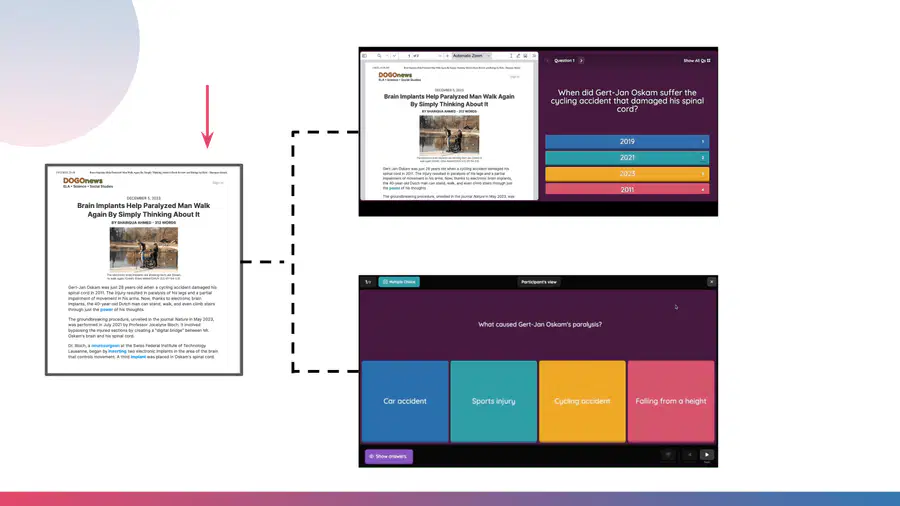
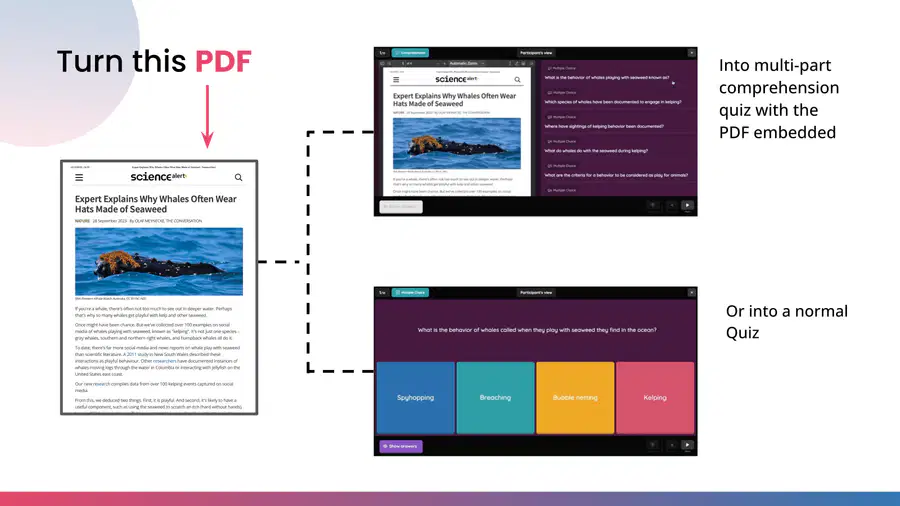
Turn this PDF
Into multi-part
comprehension
quiz with the
PDF embedded
Or into a normal
Quiz
102
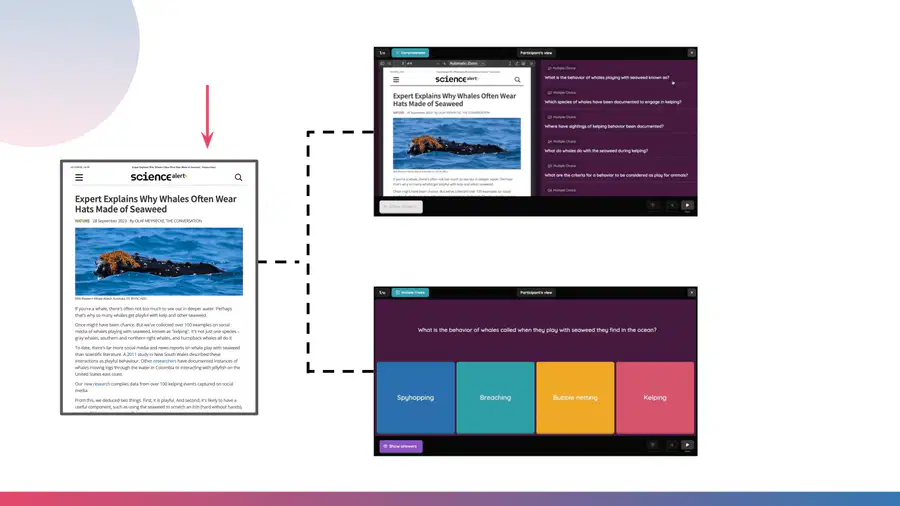
Turn this PDF
Into multi-part
comprehension
quiz with the
PDF embedded
Or into a normal
Quiz
103

https://www.youtube.com/watch/3fUcPOcdBwY
Not sure if this short is worth using*
If shorts work - we
embed it into the page
How To
104
Create a Quiz
from a PDF!
How To
Arathy’s Video
105





Take it for a
test run on
the next slide
You can Upload your own PDF or download and upload this one:
Whales making Hats from Sciencealert
Make sure you select the 'Use an existing document' section
106
https://quizizz.com/admin?createUsingAI=true&forLesson=false
107
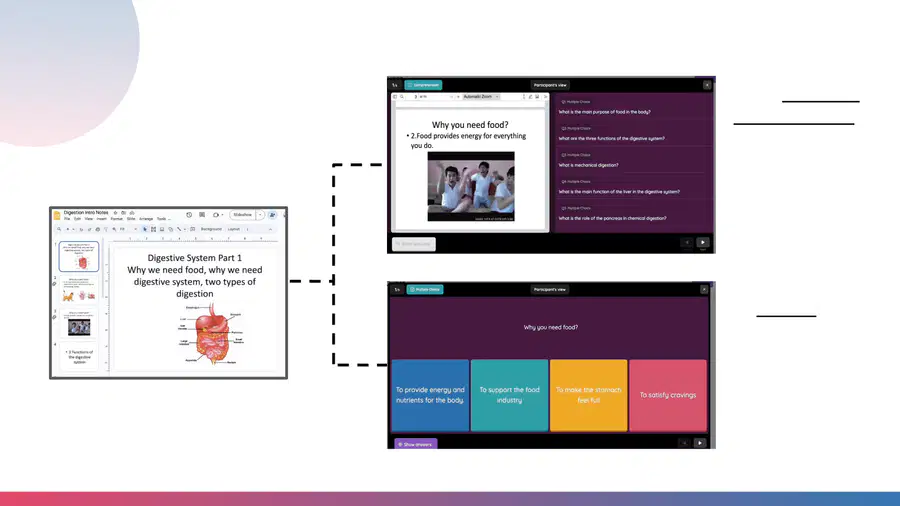
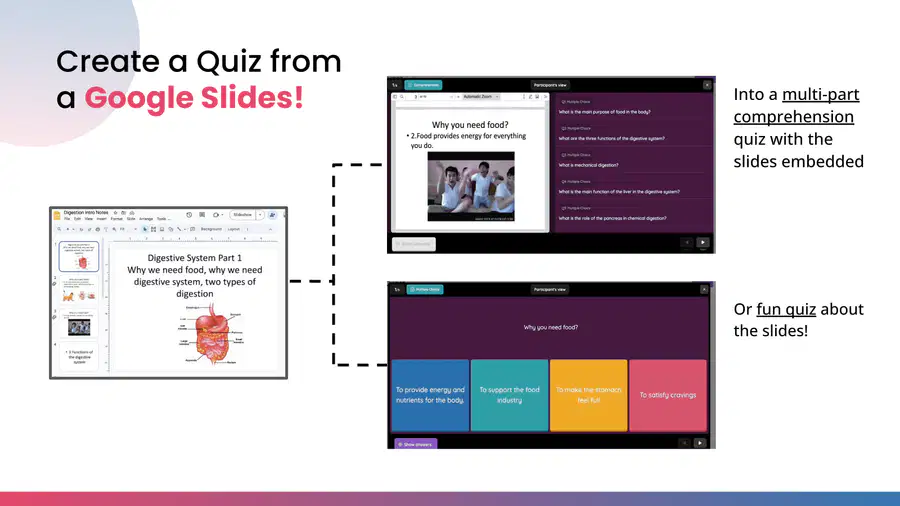
Create a Quiz from
a Google Slides!
Into a multi-part
comprehension
quiz with the
slides embedded
Or fun quiz about
the slides!
108
Create a Quiz from
a Google Slides!
https://www.youtube.com/watch?v=L-tXRjmiu5I
How To
109



Take it for a
test run on
the next slide
You can grab your own Google Slides video OR
you can grab a copy of our slide deck (linked here)
110
https://quizizz.com/admin?createUsingAI=true&forLesson=false
111
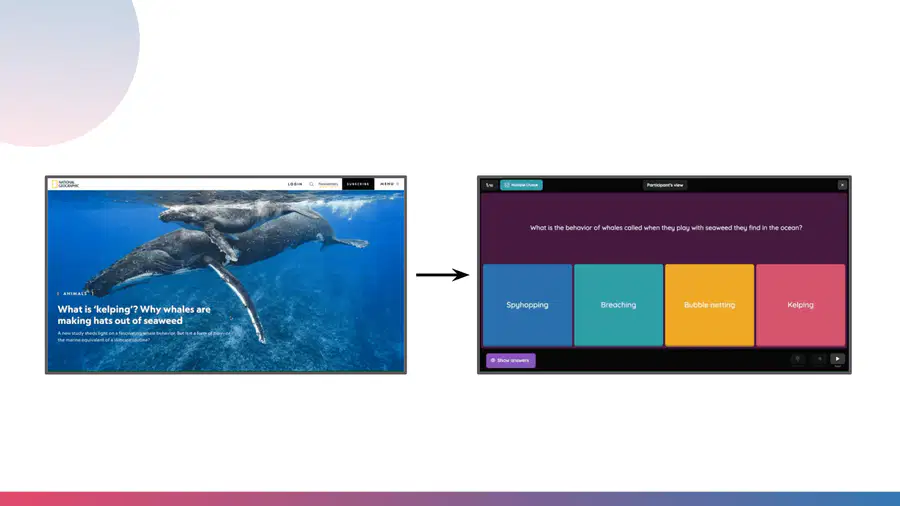
Turn this NatGeo article about Whales
making hats from seaweed
Into an interactive quiz!
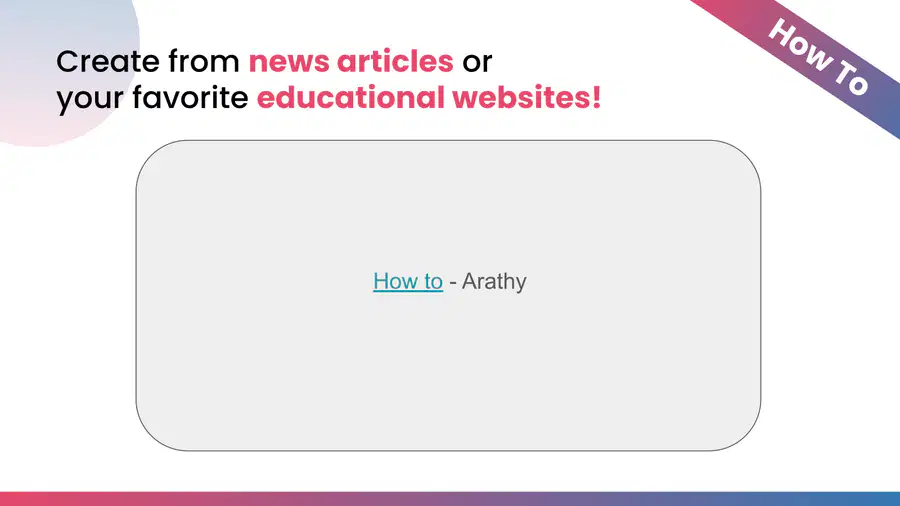
Create from news articles or
your favorite educational websites!
112
How to - Arathy
How To
Create from news articles or
your favorite educational websites!
113





Take it for a
test run on
the next slide
You can grab the url of any website you love OR you can use
this website link about
Make sure you select the 'Use an existing document' section
114
https://quizizz.com/admin?createUsingAI=true&forLesson=false
115

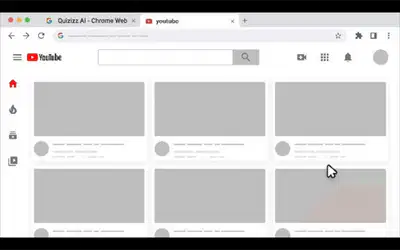

To really step it up, you
can install the Quizizz AI
Chrome Extension so
you can do many of
these things in one click!
116
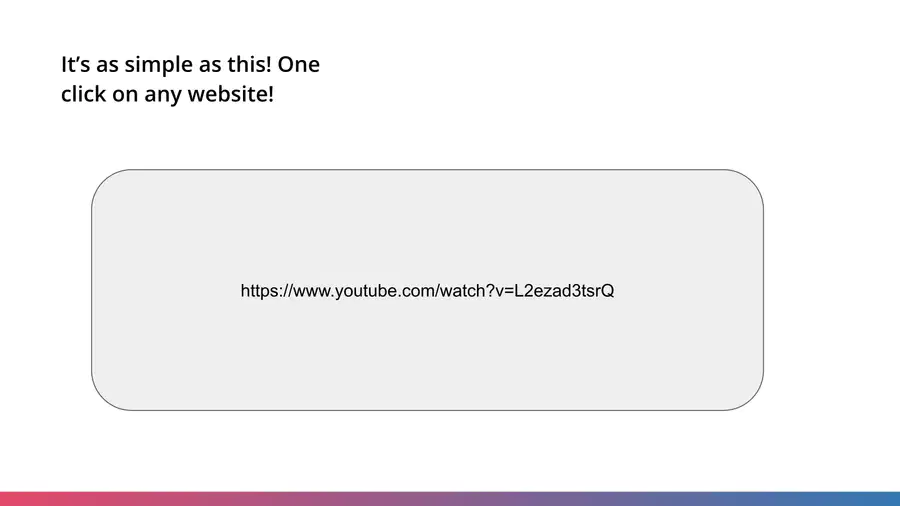
https://www.youtube.com/watch?v=L2ezad3tsrQ
It’s as simple as this! One
click on any website!
117

Test Drive Gif
Download the extension
here and give it a try!
You can use your own
link OR feel free to use
this YouTube video
118


Testing knowledge gif
Please take your time and remember you can go back to
any slides you need!
Time to test
your
knowledge!
119


MCQ or
Hotspot
Question
120

121

Labeling Question
put options to the right creation method
Excerpt from a news article
The website the news article is on
A PDF of the article
122

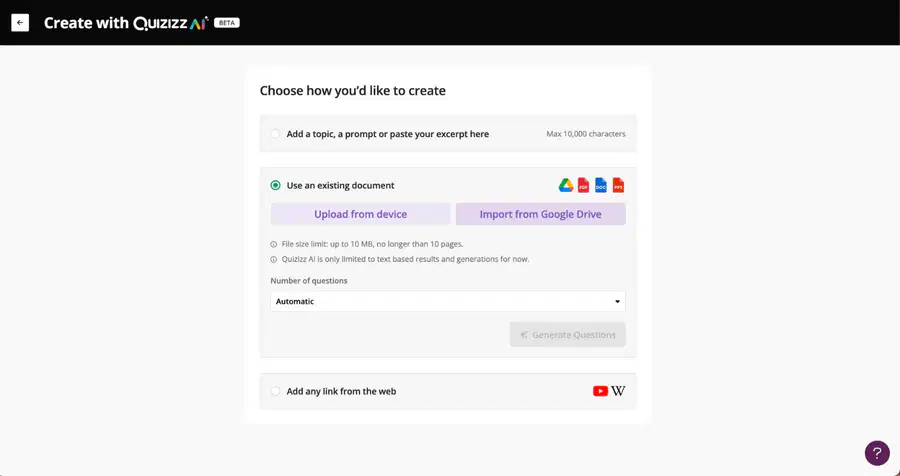
Hotspot:
Where would you click if you wanted to create Quizzes from PDFs
123

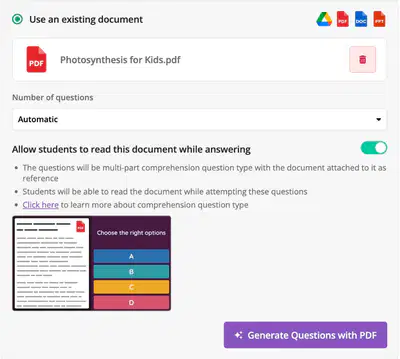
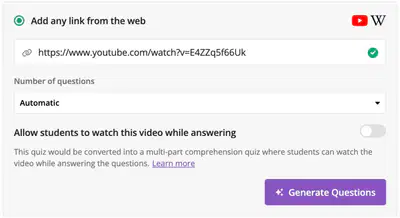
Hotspot
While creating quizzes from YouTube or Docs, what would you click to embed the Video or Doc to the
Quiz?
124

MCQ
If you had a YouTube video that you wanted to turn into a quiz, what are your two options?
-Create questions from the Youtube video
-Create Create questions from the Youtube video and have the video embedded next to it
-Turn the YouTube video into a PDF
125
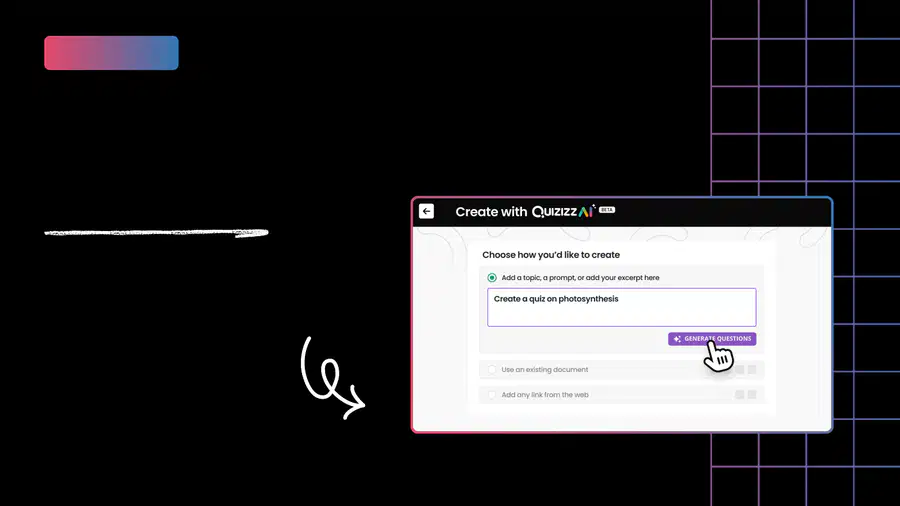
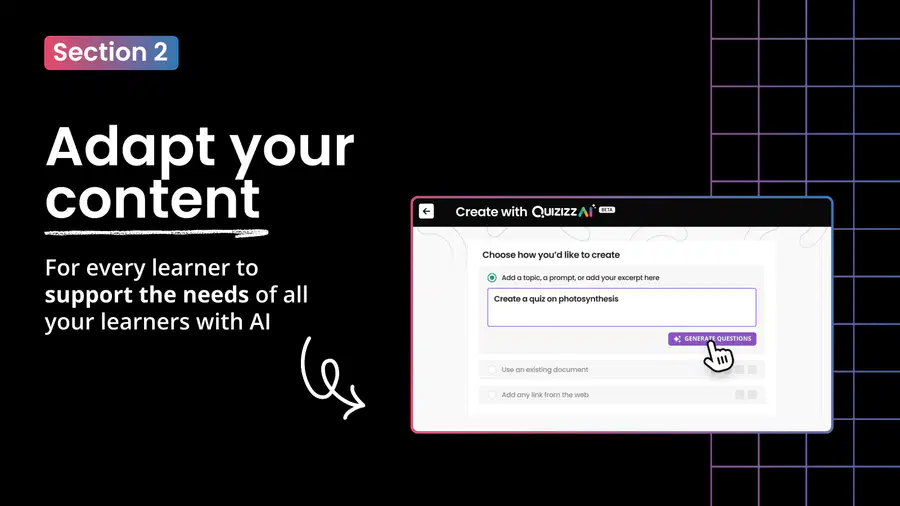
Adapt your
content
For every learner to
support the needs of all
your learners with AI
Section 2
126
Intro Video to Section 2
Video of Kyle/Arathy telling them about the enhancements overview and how at
the end will be a slide where they can try the different things we just taught them
127
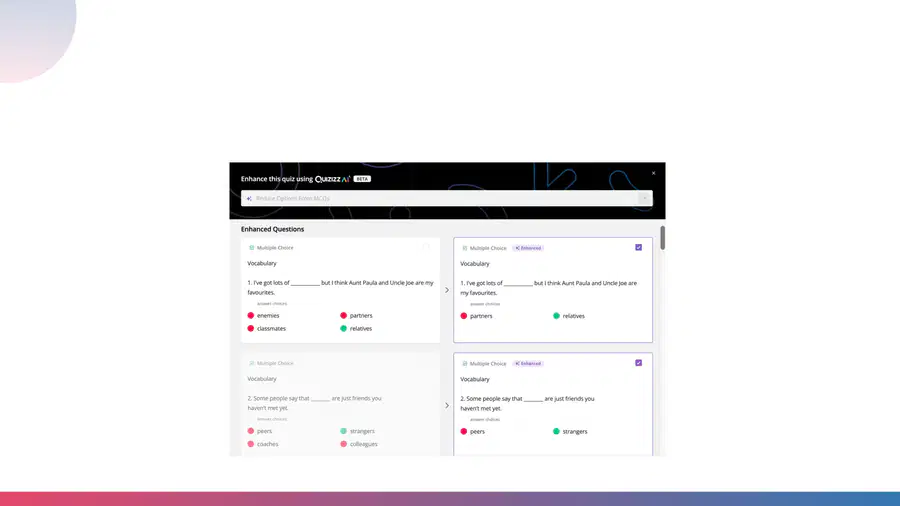
Go from
this
To this
For kids who struggle a bit more with their subject-matter,
you can reduce answer optionsfor questions with Quizizz AI.
Either reduce them in bulk or for individual questions!
128
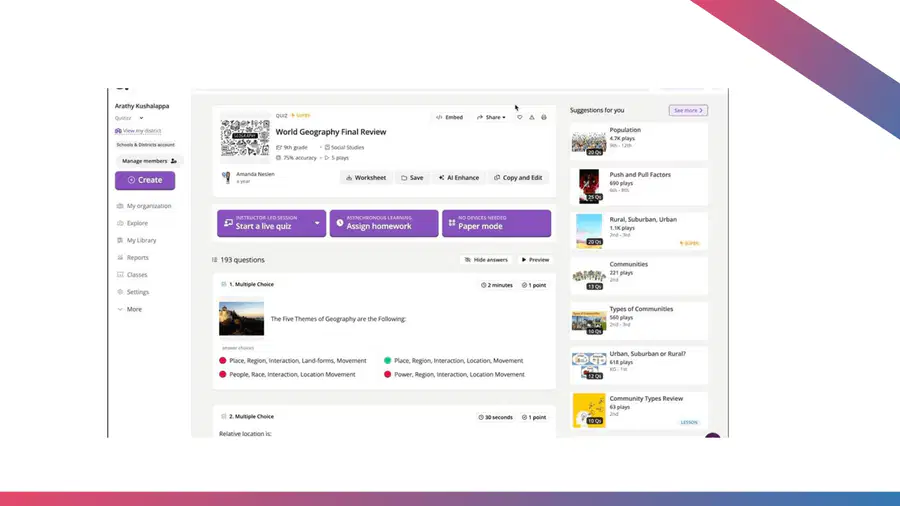
Video to be made - coming soon
How To
129
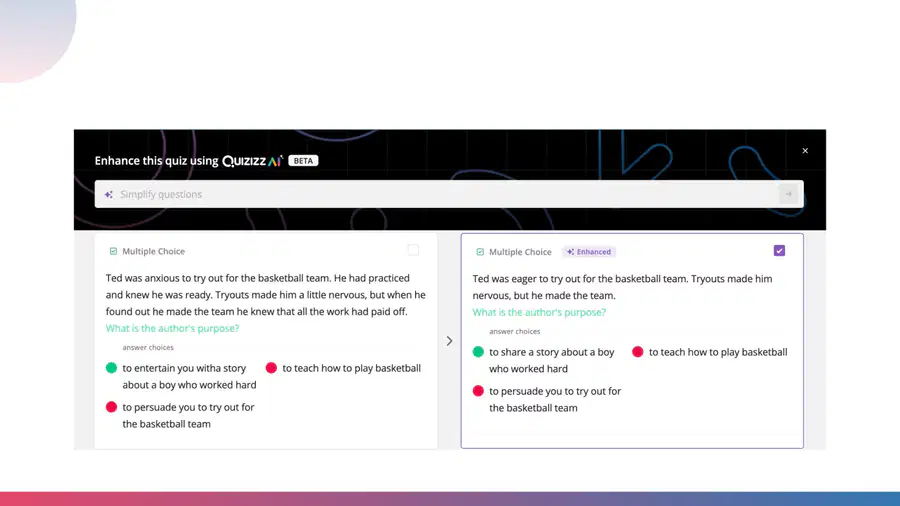
Simplify quiz - leads to simplifying the phrasing of the questions and
sometimes even the answer options for ELA and social studies!
130
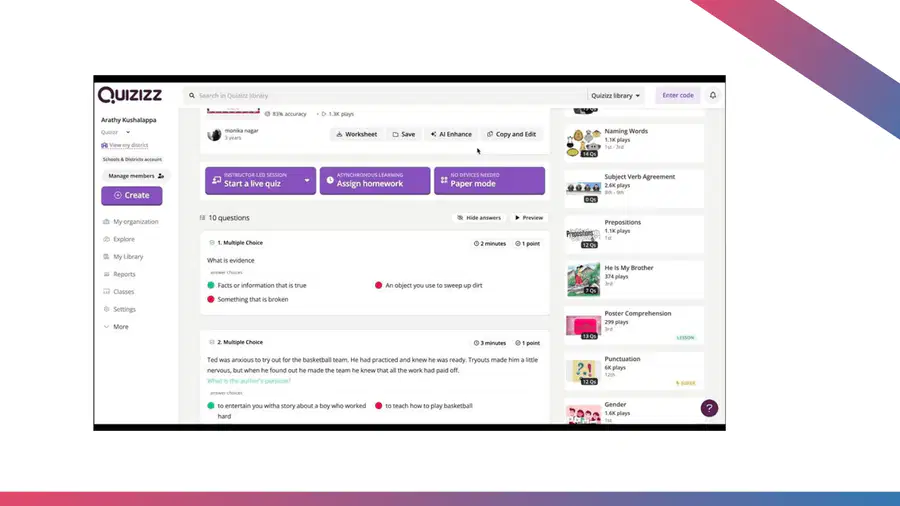
How To
131
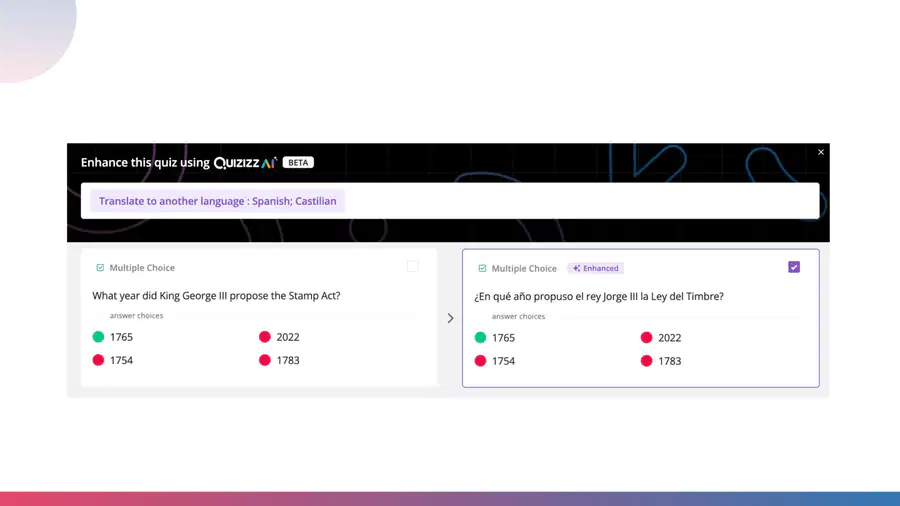
Want to allow students to access the content in the language most
comfortable to them?Translate quizzes to any languagein seconds!
Written in English
Converted to Spanish
132
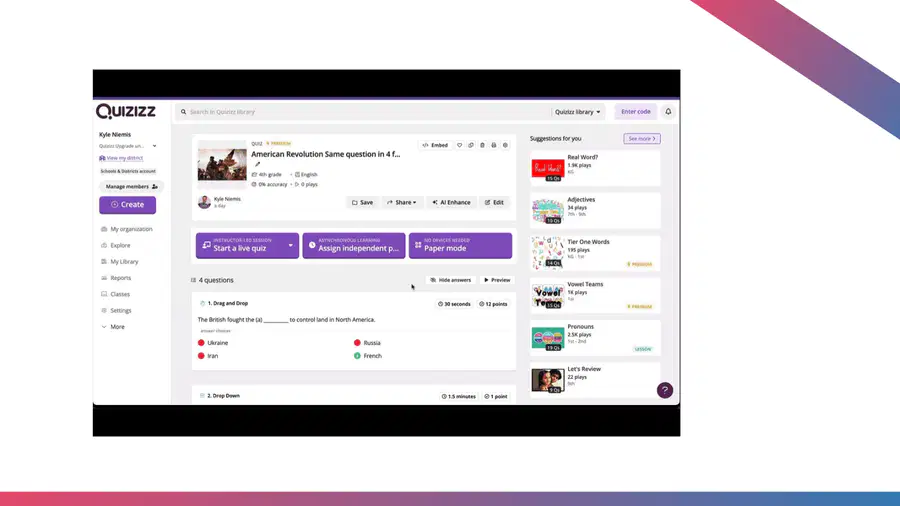
How To
133
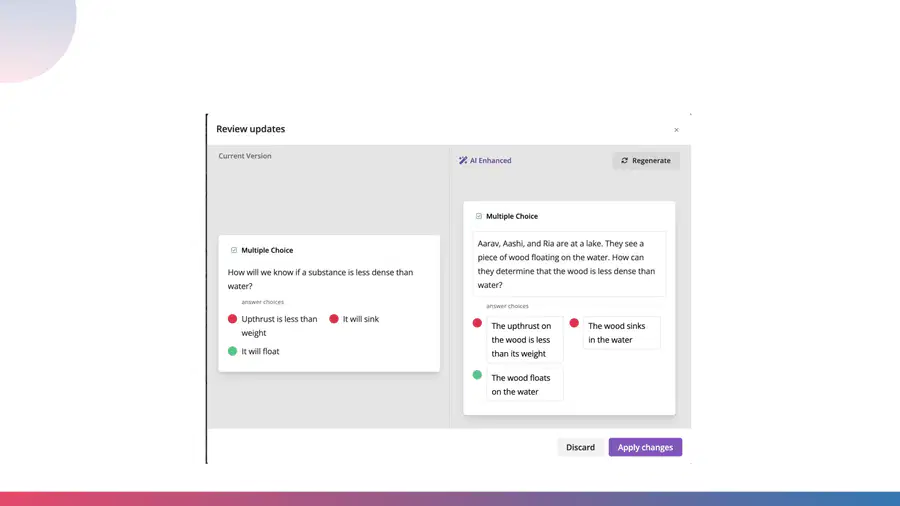
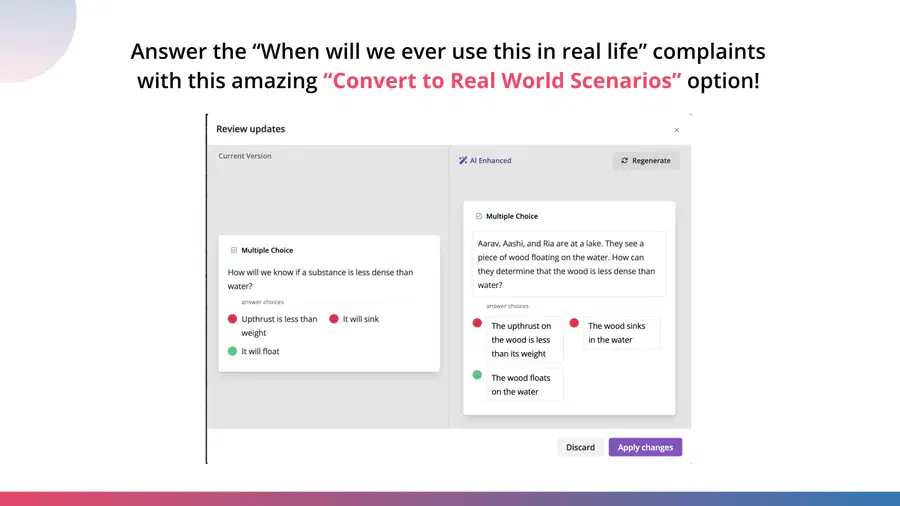
Answer the “When will we ever use this in real life” complaints
with this amazing “Convert to Real World Scenarios” option!
134
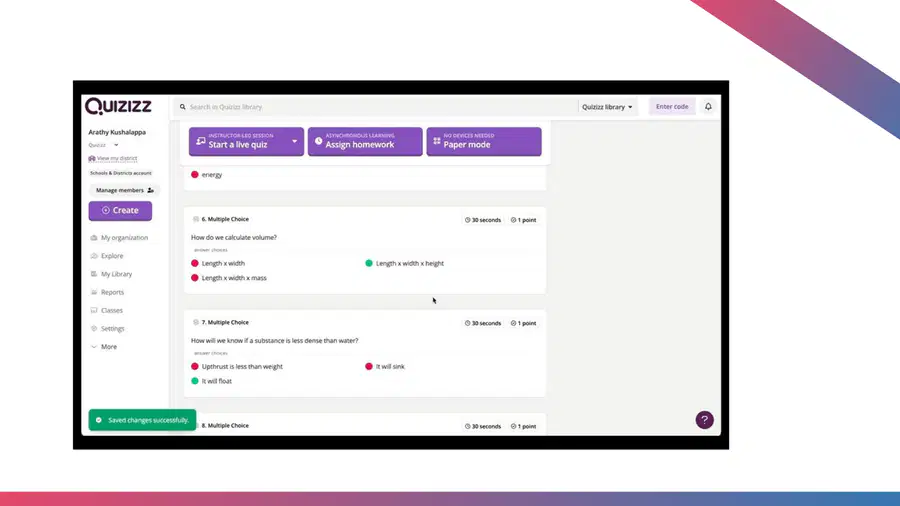
How To
135
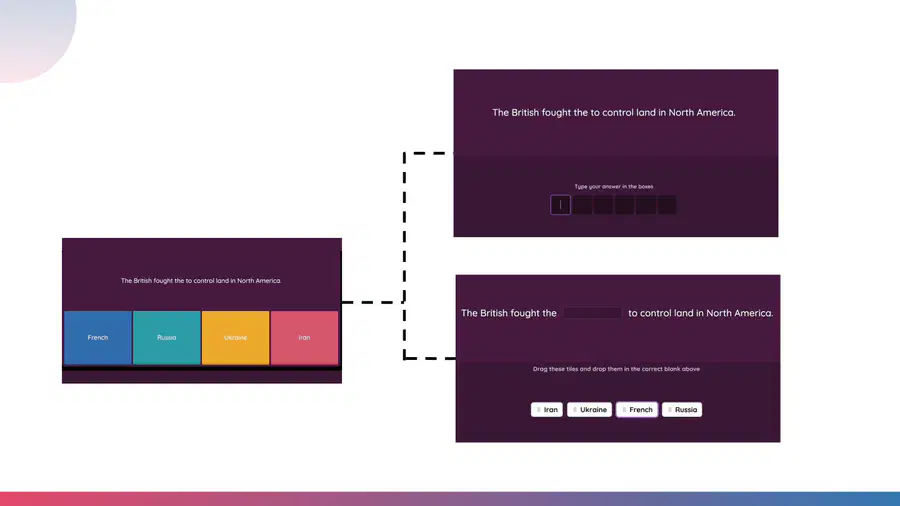
Want to make your questions
more engaging and also more
aligned to state tests? Simply
change the type of question
… in seconds!
Into this
Or this
136
https://www.youtube.com/watch?v=4pcydQKjx5Q
How To
137
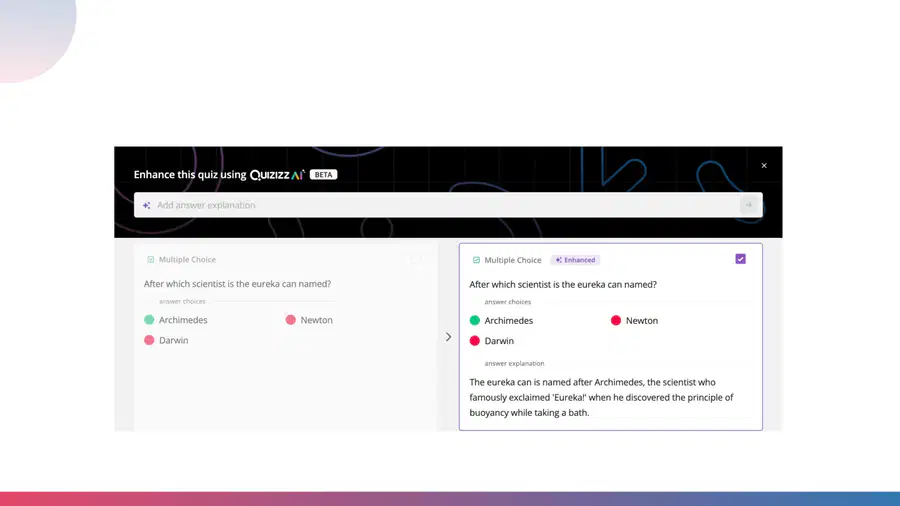
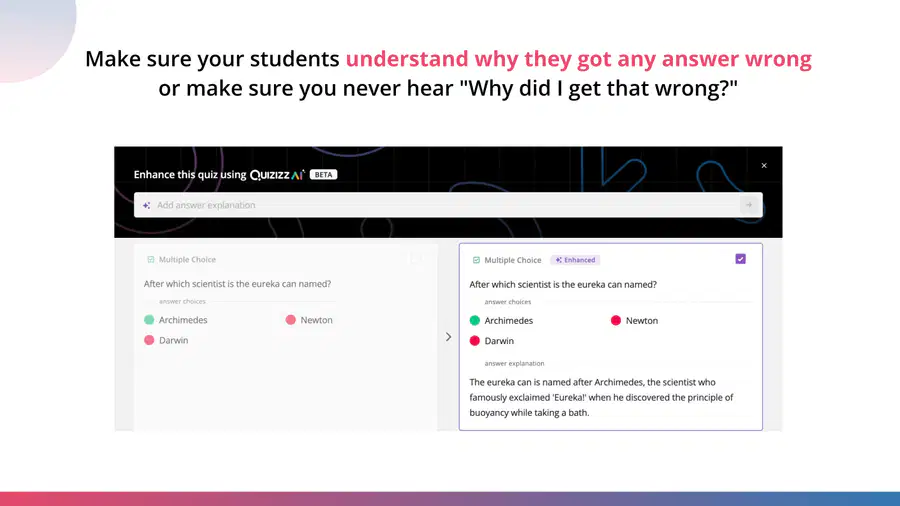
Make sure your students understand why they got any answer wrong
or make sure you never hear "Why did I get that wrong?"
138
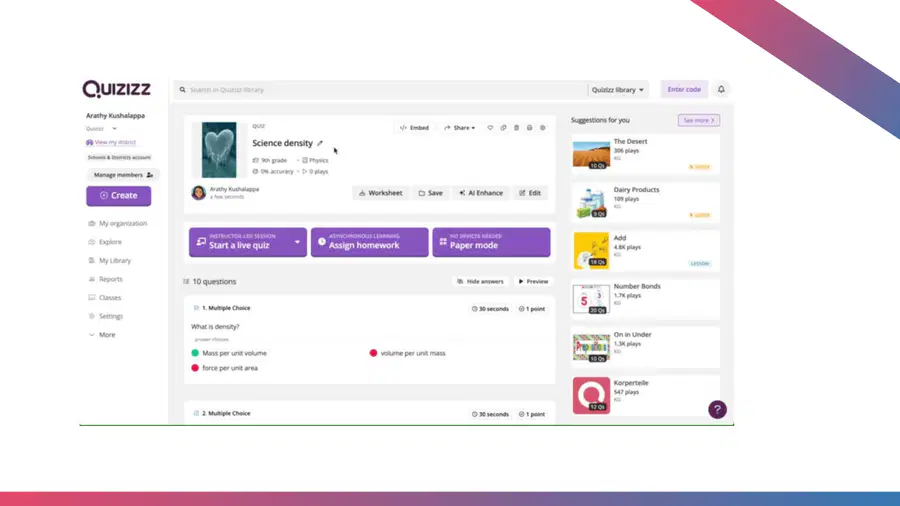
How To
139



Take it for a
test run on
the next slide
Here’s what we covered that you try out
●Translate
●Real Life scenarios
●Change the question type
●Reduce answer options
●Add answer explanations
●Or try something we haven’t covered!
140
https://quizizz.com/admin/quiz/64ff350ad67f3df2481c1142?at=657c714bb6886c7a07196498
141


Testing knowledge gif
Please take your time and remember you can go back to
any slides you need!
Time to test
your
knowledge!
142

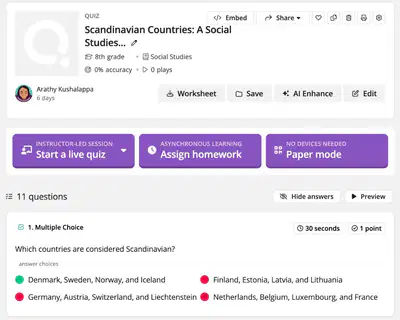
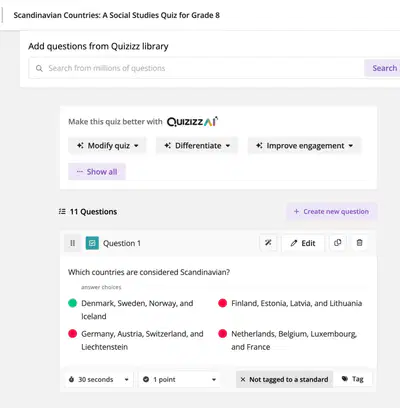
Hotspot - click the hotspots that show AI Enhance - where you can click to add
enhancements and make adjustments to your quizzes
143

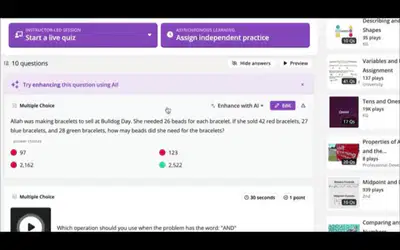
Select all of the enhance options shown in this gif. (Here's a video in case the gif is going too fast)
-Make the question sound like
a famous person said it
-Convert to a real world
scenario
-Translate to a different
language
-Fix grammatical errors
144

If you had to personalize a quiz for an ESL (english as a second language) student who is more
comfortable with Spanish, what enhancement would you use on Quizizz AI?
-Make it sound like a famous
person said it
-Translate the Quiz to Spanish
-Convert to a real world
scenario
-Fix grammatical errors
145

Students ask you - “when am I ever going to use this math question in real life?”. Which
Enhancement are you going to use to prove it’s application?
Or, if you need to convert questions to application-based scenarios - which enhancement are you
going to use?
-Change reading levels of certain questions
-Add Answer Explanations
-Change question type of certain questions
-Convert to real world scenarios
146
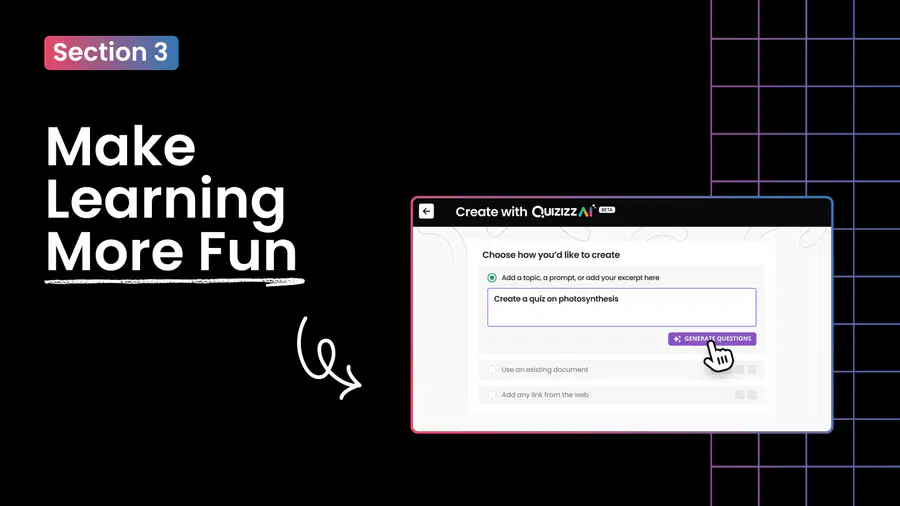
Make
Learning
More Fun
Section 3
147
Intro Video to Section 3
Kyle/Arathy video intro
148

149
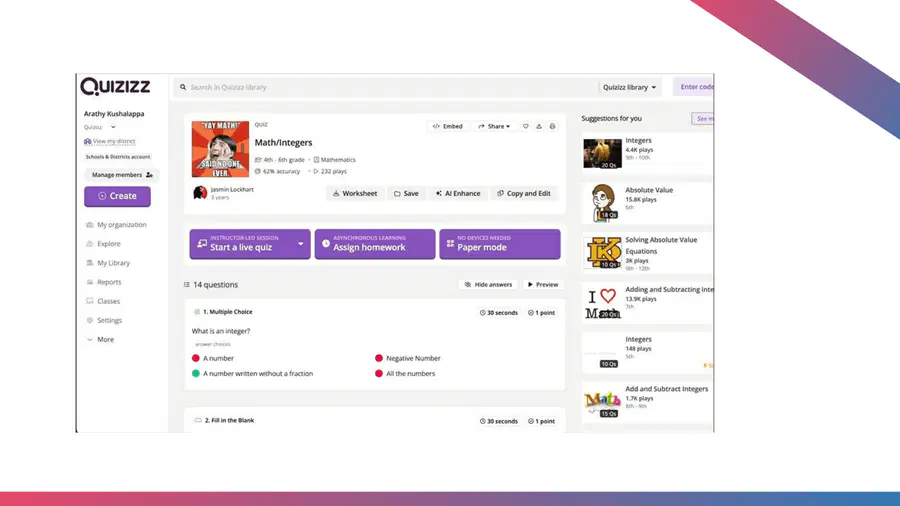
How To
150
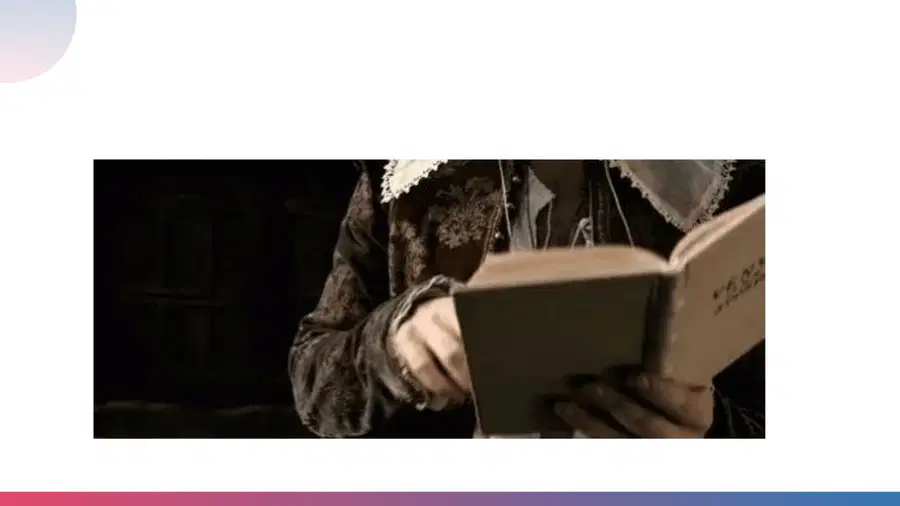
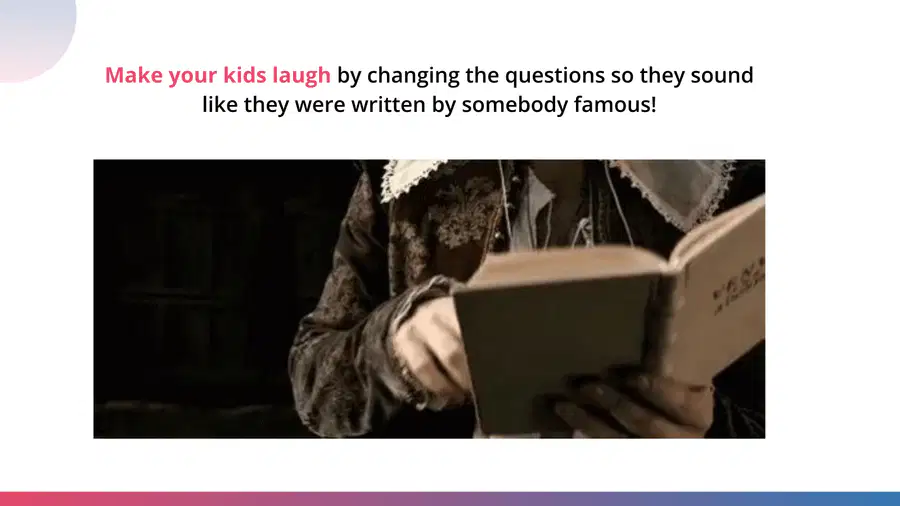
Make your kids laugh by changing the questions so they sound
like they were written by somebody famous!
151
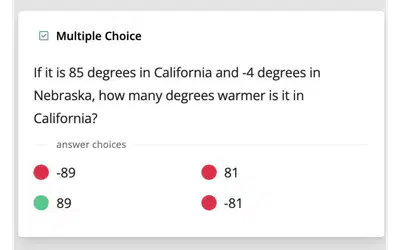
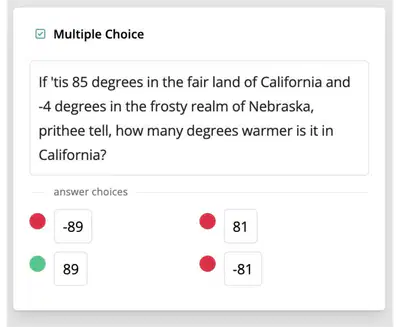
Turn this normal question,
to be said like…
Shakespeare
152
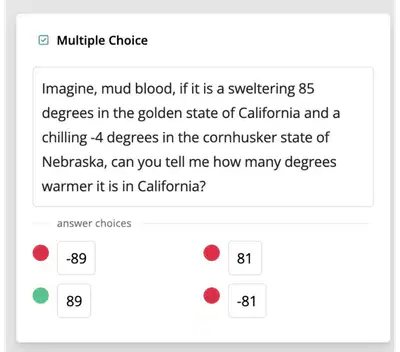
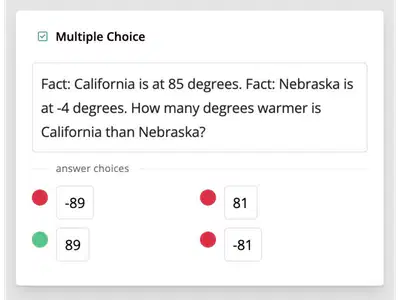
or…Dwight Schrute
or…Lucius Malfoy
153
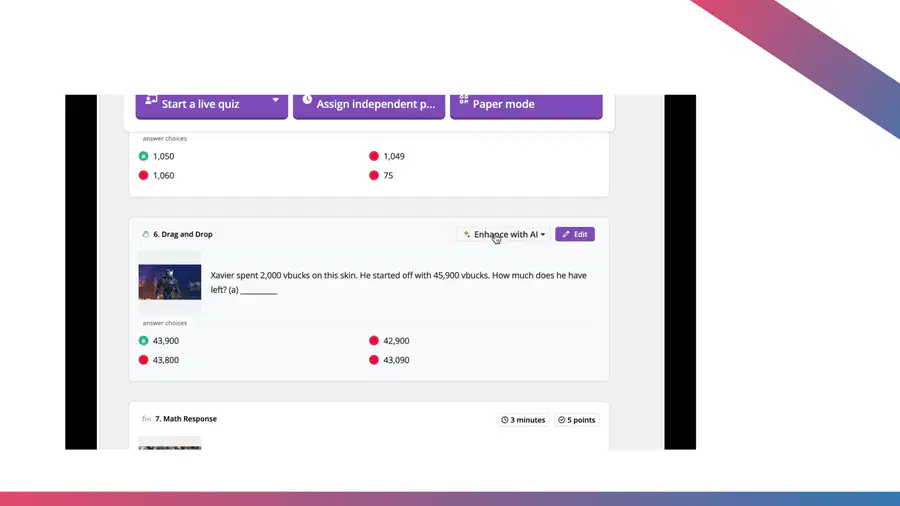
How To
154



Take it for a
test run on
the next slide
Here’s what we covered that you try out:
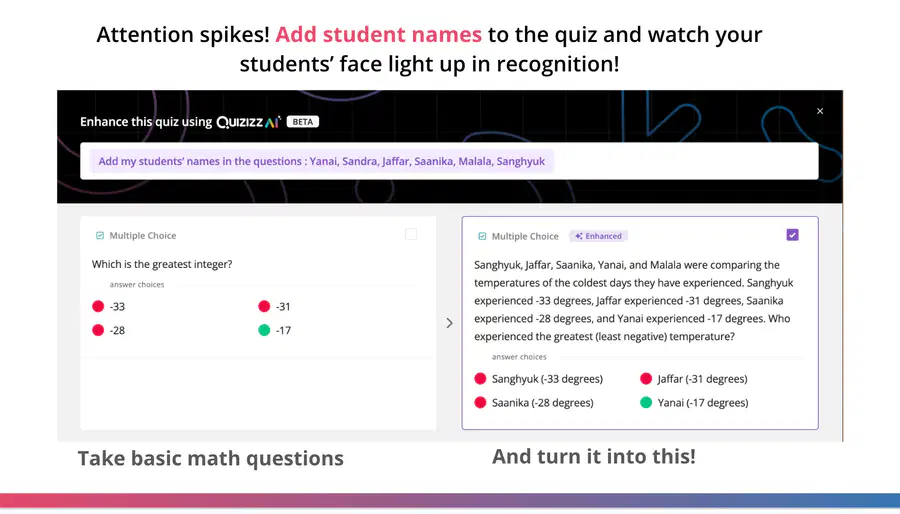
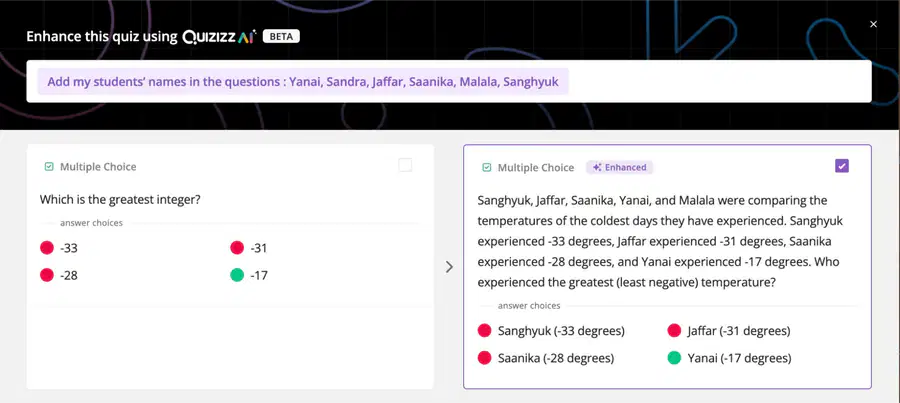
●Add in a student’s name
●Make it sound like someone famous wrote it
●Or try something we haven’t covered!
155

https://quizizz.com/admin/quiz/64ff350ad67f3df2481c1142?at=657c714bb6886c7a07196498
156


Testing knowledge gif
Please take your time and remember you can go back to
any slides you need!
Time to test
your
knowledge!
157

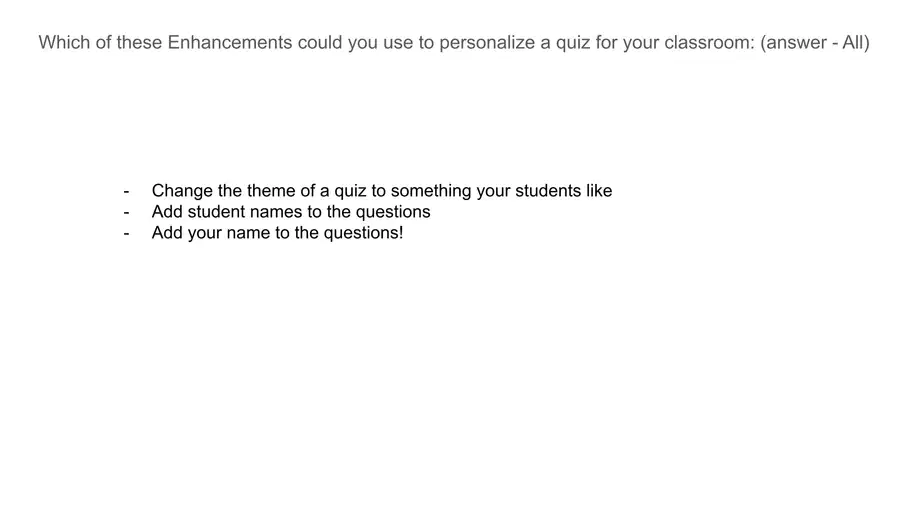
Which of these Enhancements could you use to personalize a quiz for your classroom: (answer - All)
-Change the theme of a quiz to something your students like
-Add student names to the questions
-Add your name to the questions!
158

Your classroom is studying a new literary text or a renowned scientist. You want to draw them in and
make it sound like that character is asking questions. Which enhancement would you use
-Change the theme of a quiz to something your students like
-Add student names to the questions
-Make it sound like _____ said it
-Add your name to the questions!
159

Create Skills-Aligned
Passages for ELA!
160

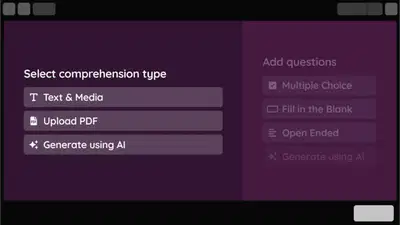
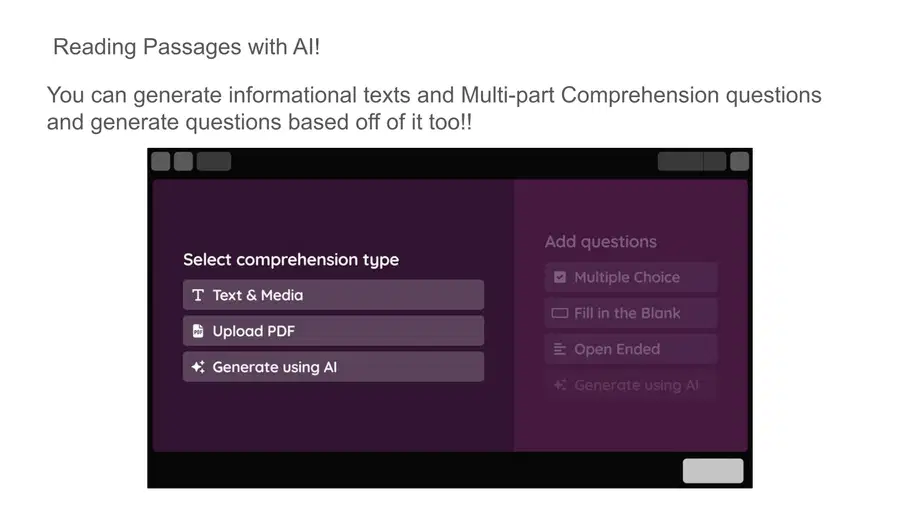
Reading Passages with AI!
You can generate informational texts and Multi-part Comprehension questions
and generate questions based off of it too!!
161

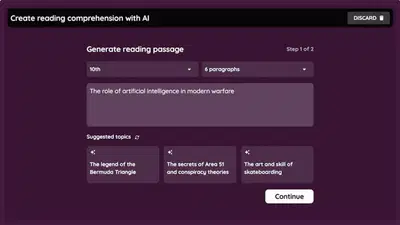
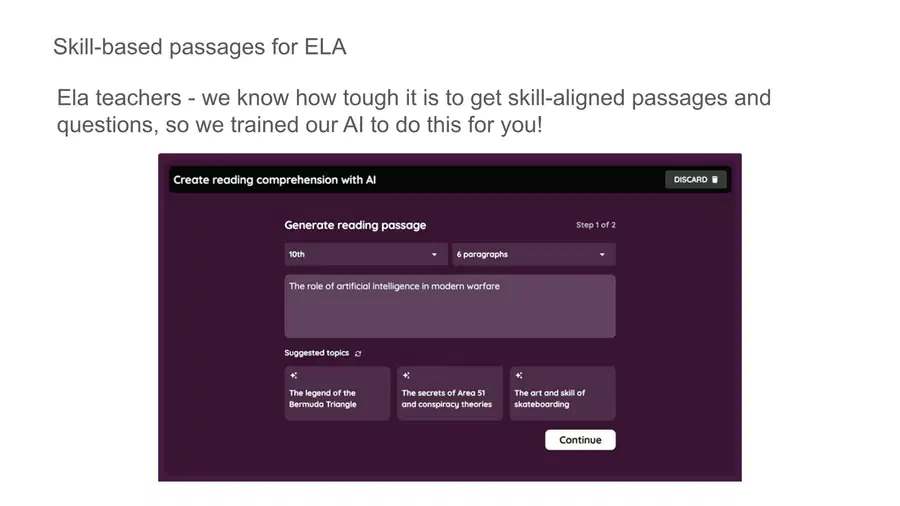
Skill-based passages for ELA
Ela teachers - we know how tough it is to get skill-aligned passages and
questions, so we trained our AI to do this for you!
162

Bookmark It!
You may be saying to yourself, "Wow, I
learned so much! How do I make sure I have
these resources after I leave this program to
look back on or share with others?"
Don't worry, I put them all together for
you, here!
Be sure to bookmark it!
Some sort of resource pic
163

Feedback
Some sort of feedback pic
If you have any feedback for us about this
program, we would love to hear it! We want
to make sure it's as valuable as possible
for everyone.
You can share your feedback on the next
slide
164
Embedded form
165

Spread the Love
Pic of sharing/spreading the love
If you've learned something today, we
would love you to share it with our
community. If you would like, you can use
this tweet template so all you need to do is
fill in the blank!
Also, we pick a few of these tweets each
month and send those people some SWAG
of their choice!
166



You Did It!
All candidates who get 80% and above will get
a customized Certificate and Badge!
DON'T CLOSE THIS WINDOW,
be sure to continue on to the final summary
screen and fill out your information for your
certificate and badge .
Show answer
Auto Play
Slide 1 / 166
SLIDE
Similar Resources on Wayground

159 questions
Chemistry Final Exam Review Part 1
Presentation
•
10th Grade
159 questions
Middle School Life Science | MS-LS1-1,2,3,7, and 8
Presentation
•
6th - 8th Grade
169 questions
Unit 8 - Civil Rights Movement
Presentation
•
8th Grade
164 questions
Pengenalan
Presentation
•
KG - University
156 questions
untitled
Presentation
•
KG - University
156 questions
Bài thuyết trình chưa có tiêu đề
Presentation
•
3rd Grade
155 questions
Modal Verbs
Presentation
•
9th - 12th Grade
Popular Resources on Wayground
10 questions
Safety Day 2026 – Student Review

Quiz
•
9th Grade
21 questions
Continents and Oceans
Quiz
•
6th Grade
20 questions
Parts of Speech
Quiz
•
5th Grade
16 questions
Subject & Predicate
Quiz
•
5th Grade
25 questions
Multiplication Facts
Quiz
•
5th Grade
12 questions
Map Skills
Quiz
•
3rd Grade
22 questions
Continents and Oceans
Quiz
•
5th Grade
15 questions
Rounding Decimals
Quiz
•
5th Grade