

ENG519

Presentation
•
Other
•
University
•
Practice Problem
•
Hard

Darcy Sorensen
FREE Resource
41 Slides • 6 Questions
1

CRICOS Provider No: 00300K (NT/VIC) 03286A (NSW) RTO Provider No: 0373 TEQSA Provider ID PRV12069
Find and evaluate information,
reference it, and avoid plagiarism
Charles Darwin University Library
Darcy Sorensen, Academic and Research Librarian
2

Charles Darwin University acknowledges all
First Nations people across the lands on
which we live and work, and we pay our
respects to Elders both past and present.
2
3
3
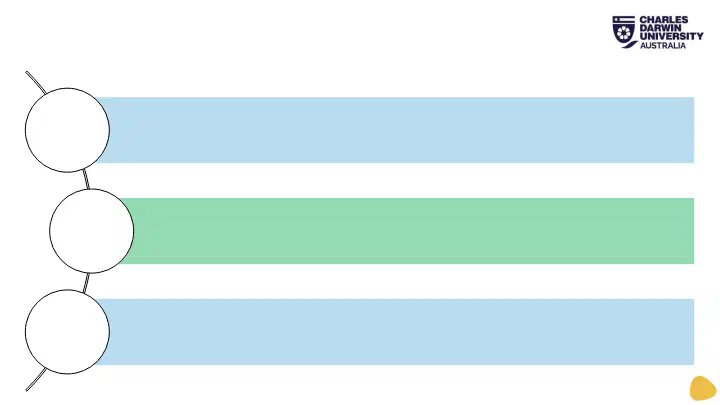
Types of information and being critical of your sources
Search Tools: Library Search, Google Scholar, Databases
Referencing and how to avoid plagiarism
What are we talking about today?
4

How do you start
searching?
4
5
Poll
What search tools have you used before?
Google Scholar
Library Search
Databases
Other
6
5
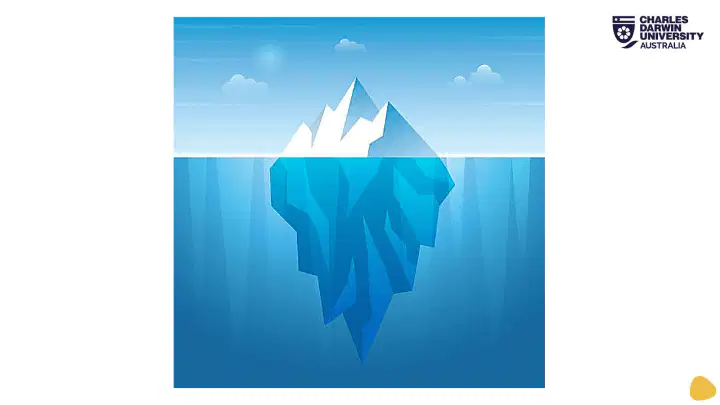
SURFACE WEB
DARK WEB
DEEP
WEB
Illegal information
Private communications
Trafficking sites
TOR-Encrypted sites
Academic information
Medical records
Legal documents
Scientific reports
Subscription information
Multilingual Databases
Conference proceedings
Government resources
Competitor Websites
Organisation-specific Repositories
Wikipedia
Bing
Social Media
7
Match
Where would I look if I wanted to find:
Journal articles
Patents and standards
White papers and technical reports
New developments and upcoming research
Google Scholar and Library Search
Technical databases
Industry websites
News articles and conference websites
Google Scholar and Library Search
Technical databases
Industry websites
News articles and conference websites
8

Setting up Successful Search Strategies
1
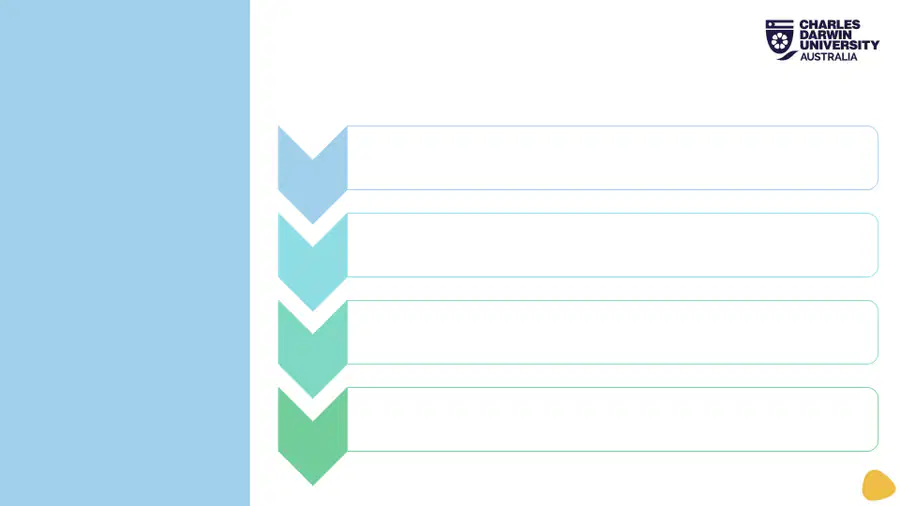
1. Analyse
your topic
2. Brainstorm
and read
3. Combine
search terms
Break your research down into a step-by-step process.
It is hard to do research for a project without knowing
something about your topic.
9

Step 1:
Analyse
your
topic
2
Break down the question, what do you need to know to
answer the assignment question? What do you need to
produce or create?
• Read through all the unit requirements and assignment task
• Choosing a Topic:
• Select your topic
• Summarise what you think you will need to do for this
topic
• What will you need to do?
• Find (literature/sources)
• Method/s (measure/investigate)
• Build/ implement
• Produce
• What do you already know?
10

Step 2:
Brainstorm
and
reading
3
Brainstorming and reading about your topic can help you understand
some of the major concepts surrounding your assignment question.
• You might want to do a Google search to get some basic
understanding.
• Then try tools such as Google Scholar and Library Search, or subject
specific databases via the library.
• Do a simple search on your topic.
• Read the abstract of a few articles- are there any issues that stand
out?
• Refine your search by trying different keywords and different search
refinements (e.g. date of publication or resource type such as
article/book).
• Try different tools.
11
Step 3:
Combine
search
terms
4
Don’t lose track of what you are
really looking for.
•Choose an appropriate search tool
•Enter search terms/words
•Read through results
•Add to or change search terms
12
Multiple Choice
Which of these is a real news headline?
Time travel experiment conducted at a renowned university. It works!
Are black holes time machines? Yes, but there’s a catch
New evidence suggests time travellers have been altering historical events.
Scientists develop groundbreaking time travel technology in secret lab.
13
Multiple Choice
Which of these is a real news headline?
Top Officials Admit to Secretly Communicating with Aliens for Decades
NASA Uncovers Ancient Alien City on the Moon
Aliens might have already landed on Earth, says the Pentagon
Alien Abduction Epidemic Sweeps the Nation
14
Multiple Choice
Which of these is a real news headline?
Scientists Create a Real-Life Lightsaber Using Plasma
Researchers Discover Invisible Species Living Among Humans
Archaeologists Unearth Ancient Smartphone in Pompeii Ruins
Palaeontologists document 75-million-year-old dinosaur fossil in Egypt
15
6
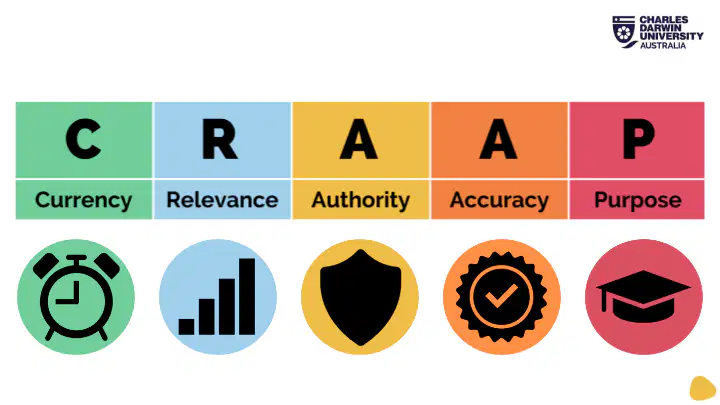
How can you evaluate sources?
16

7
Currency
The timeliness of the information
Is this source current for my topic?
Things to think about:
• When was the information published or posted?
• Has the information been reviewed or updated? Are
the links current and functional if it is a website?
• Does your topic require current information, or will
older resources work as well?
17

8
The importance of the information for your needs
Does the information relate to your topic or answer
your question?
Things to think about:
• Who is the intended audience?
• Is the information at an appropriate level, not too
basic or advanced
• Is the information unique? (Can it be found in a
scholarly book or article rather than a website)
Relevance
18

9
The source of the information
Who created the information?
Things to think about:
• Who is the author/publisher/source/sponsor?
• What are the author's credentials and affiliations?
• Are the author/s recognised experts in their field?
• Is there contact information, such as a publisher or email address?
• Does the URL reveal anything about the sources e.g. .com, .edu, .gov, .au
• Has the source been peer reviewed?
Authority
19

10
The reliability, truthfulness and correctness of the
information listed
Is it clear where the information comes from?
Things to think about:
• Is the information supported by evidence? Has the
author cited the sources they used?
• Has the information been reviewed or refereed?
• Does the language or tone seem unbiased?
• Is the source free from spelling, grammar or typing errors?
Accuracy
20

11
The reason why the resource was created
What was the resource created for, and why?
Things to think about:
• What is the purpose of the information? Is it to
inform or teach, sell, entertain or persuade?
• Does the author make their intentions or purpose clear?
• Does the point of view appear objective and impartial?
• Is it trying to inform you or sell you something?
• Does it make reasonable statements? Or dramatic claims?
Purpose
21
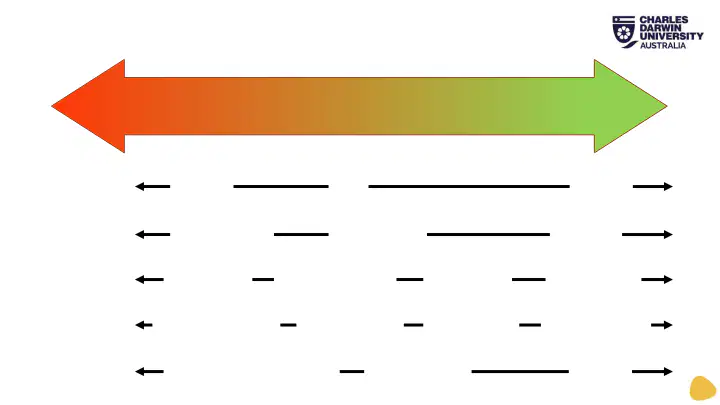
The Credibility Spectrum
12
LESS CREDIBLE
MORE CREDIBLE
C Currency
R Relevance
A Authority
A Accuracy
P Purpose
undated
old
current
pressure group
general public
academic
unidentified
individual opinion
cited expert
PEER REVIEW
no credible references
obvious omissions
cited references
2 verifying sources
significant unacknowledged bias
acknowledged bias
balanced
22

18
Library Search
Pros
•Can limit to resource type e.g., a book or a
journal article
•Can limit your results to peer-review articles
•Can limit to subject area
•Full text access to most resources that you
can’t find anywhere else
Cons
•Searches can be more complicated, keywords
really matter
•Won’t search in every database or find most
free material that is online
Google Scholar
Pros
•Friendly searching—tells you if your spelling is
incorrect, and suggests other searches
•Great for snowball searching
•A very broad search across a lot of material
Cons
•No guarantee of full text access
•Won’t search every database
•Retrieves material that isn’t academic
•Search algorithm may not bring back the most
relevant results
Compare tools
23
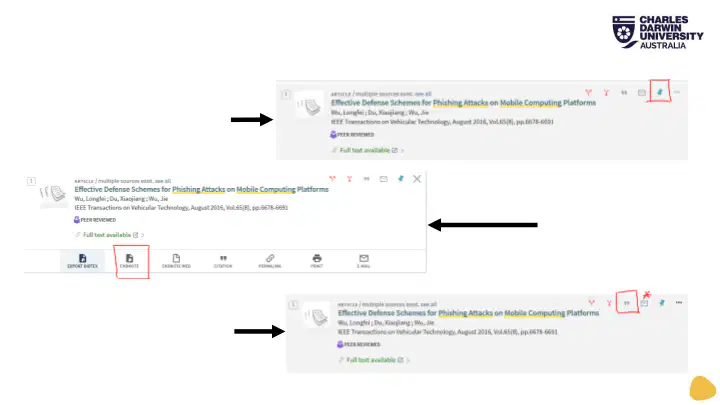
Save resources as you go!
19
Pin to your Library folder
Use Endnote
Use citation tools (or email*)
24
Reorder
Reorder these sources from most reliable (1) to least reliable (5)
Peer-reviewed article
Government report
News article
Website
A student blog post
25

Reference your
information
20
26
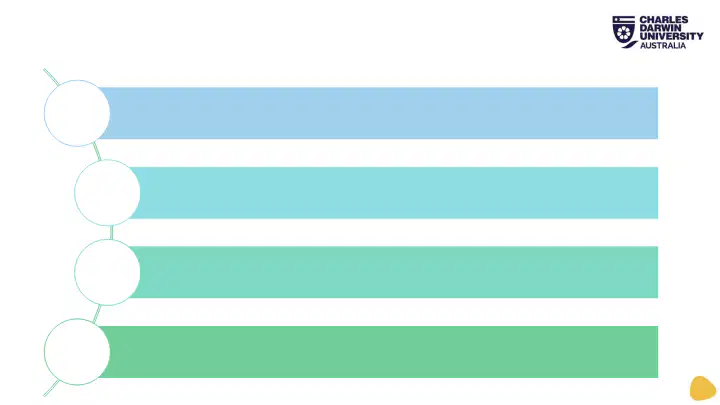
Demonstrate to your lecturer that you have read widely across
the literature on that topic
Enable any reader to find the resources that you read, heard,
or watched, and referred to in your work
Acknowledge your sources
Avoid plagiarism
Why do we reference?
21
27

22
Fabrication
of data
Failure to
credit sources
Recycling
your work
Inaccurate
referencing
Presenting
others work
as your own
Unauthorised
collaboration
What does plagiarism involve?
28
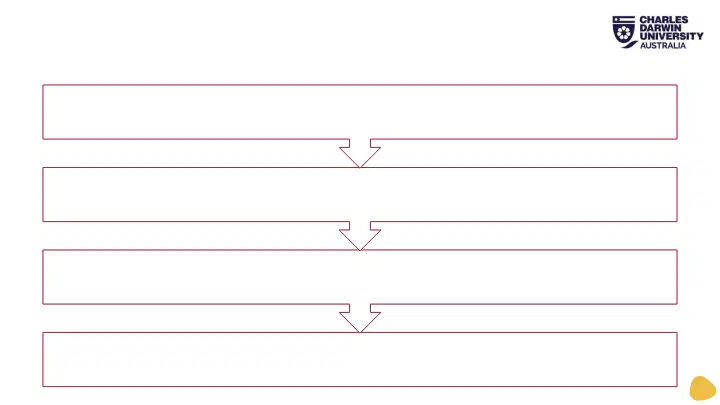
23
Degree or other award rescinded
Expelled from the university
Excluded from the university for 12 months
A fail grade for the whole unit
Serious Consequences
29

How to avoid plagiarism
24
“
”
• Cite and reference all resources used
• Use the correct format of referencing – be consistent
• Use quotation marks or block quotes for all direct
quotes – do not overuse quotes
• Write in your own words
• When paraphrasing DO NOT only change a few words,
re-write and cite/reference
• Summarise what you have read – cite/reference
• Do your own work
30
Paraphrasing, Quoting, and Summarising
25
Paraphrasing
Quoting
Summarising
•Putting all of the information
from a source and putting them
into your own words.
•Used only from a short passage
of source (e.g. not a whole
article/book).
•Different words and structure
than the original source.
Example: In the Northern Territory
you cannot refuse to grant a tenancy
agreement based on race.
•Using the exact same words as
the source you are using.
•Used for short, interesting
passage or to show authority.
•Used to give an example or give
support.
Example:
You cannot refuse a tenant based on
‘gender, race or ethnic origin’.
•Records a source at any length.
•Condenses and includes only
main ideas.
•May explain or interpret an idea.
Example: In the Northern Territory
there are specific laws that guide the
application of tenancy. This includes
anti discrimination.
Examples based on Northern Territory Law Handbook
http://austlii.community/foswiki/NTLawHbk/Renting#Discrimination
31

26
3. Reference
using the
resource
format
2. Find the
resource
type in the
guide
1. Locate
your style’s
referencing
guide
3 Steps to Referencing
32
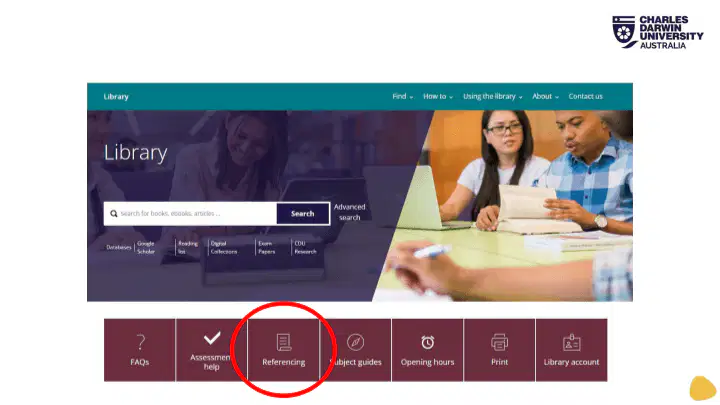
Referencing Style Guides
27
33
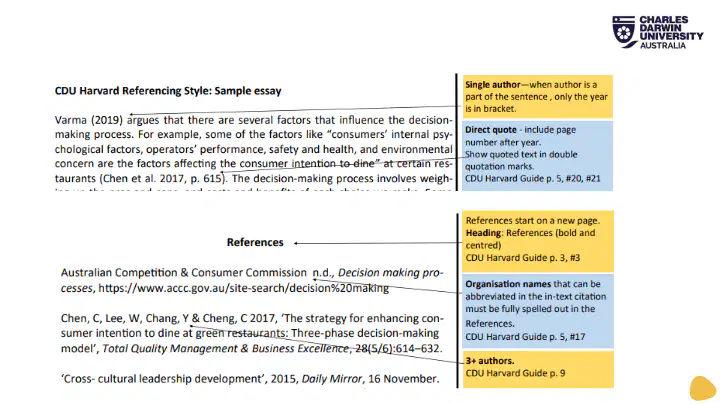
What does referencing look like?
28
IN-TEXT
CITATIONS
REFERENCE
LIST
PLACE AT
THE END OF
YOUR
REPORT
34
In-Text Citations
29
Narrative Citation
Author/s (date) state that rising…
If the citation is removed and the sentence no
longer makes sense use a narrative citation.
Parenthetical Citation
…for future use (Author date).
If the citation is removed and the sentence still
makes sense, use a parenthetical citation
Author(s)
Date
Page number
Use a page number if you are quoting. E.g:
Social workers are practice providers and “are frequently leaders in providing crisis
intervention services to individuals, families, and groups" (Mirabito 2017, p. 118).
35

Author
Date
Title
Source
What are the four basic elements
required to create a reference?
30
36
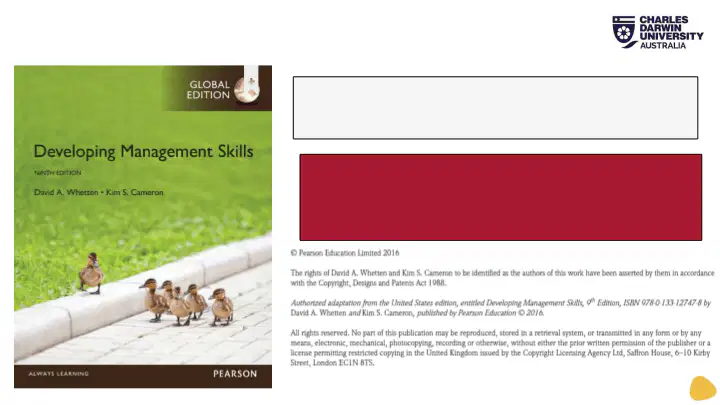
How to Reference: a book
31
Author, AA & Author, BB Year of publication, Title of
book, edition., Publisher.
Whetten, DA & Cameron, KS
2016,
Pearson.
Developing management skills, 9th edn.,
37
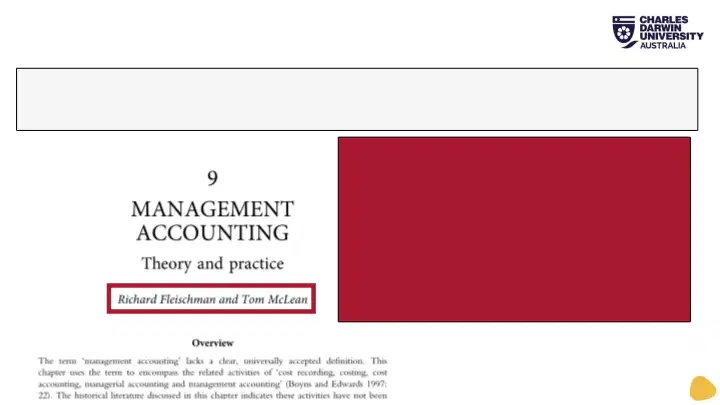
How to Reference: a book chapter
32
Chapter author Year of publication, ‘Chapter title’, in Book editor(s) (ed. or eds.), Book title
in italics, edition., Publisher, pp. chapter page numbers.
Fleischman, R & McLean, T
‘Management accounting: Theory
and practice’,
in JR Edwards & SP
Walker (eds.),
2020,
Taylor & Francis, pp. 214-251.
The Routledge
companion to accounting history,
38
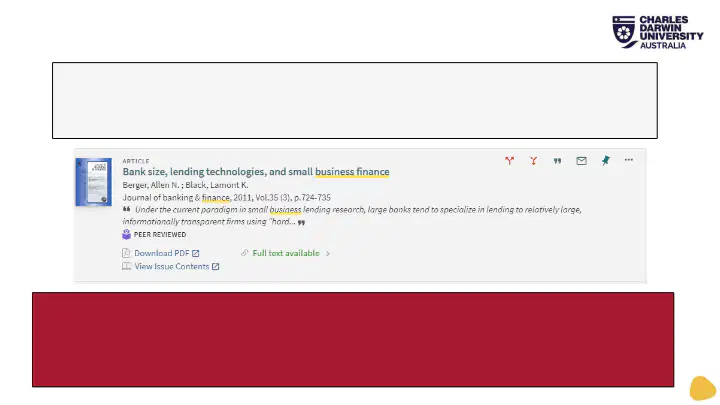
How to Reference: a journal article
33
Author, AA & Author, BB Year of publication, ‘Article title’,
Journal Title, vol(no):page-page.
Berger, AN & Black, LK
‘Bank size, lending technologies,
and small business finance’, Journal of Banking & Finance,
2011,
35(3):724-735.
39
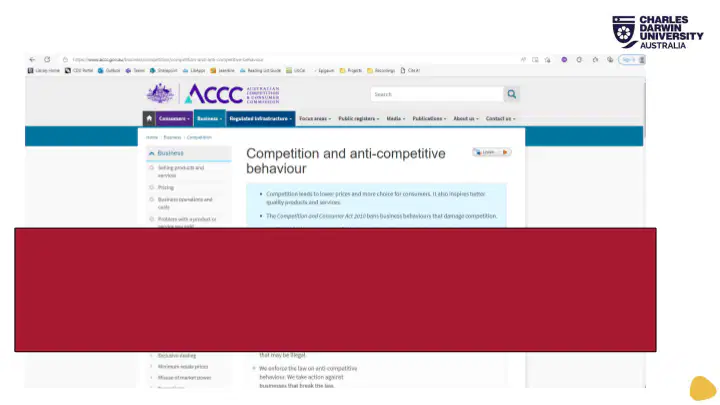
How to Reference: a web page
34
Australian Competition & Consumer Commission n.d.,
Competition and anti-competitive behaviour,
https://www.accc.gov.au/business/competition/competition-
and-anti-competitive-behaviour
40
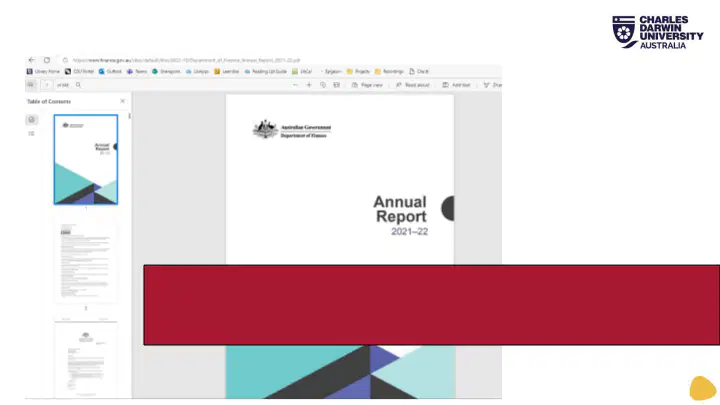
How to Reference: a report
35
Department of Finance
https://www.finance.gov.au/sites/default/files/2022-
10/Department_of_Finance_Annual_Report_2021-22.pdf
2022, Annual report 2021-22,
Australian
Government,
41

36
EndNote
42

What about AI?
37
•AI or Artificial Intelligence is a field
of science that aims to create
intelligent machines
•GenAI or Generative AI can
generate output such as images,
text, and audio
•AI is not a shortcut and should not
be used to avoid doing your work
•Any use of AI must be permitted
and responsible
43

Know the strengths and weaknesses
38
•Research a tool before using it.
•Watch/read tutorials and learn
how to use it effectively.
•Pay attention to privacy and
user agreements.
•Critically evaluate the tool and
its output. Don’t be fooled by
misinformation.
•Keep up to date with new
features and updates.
44
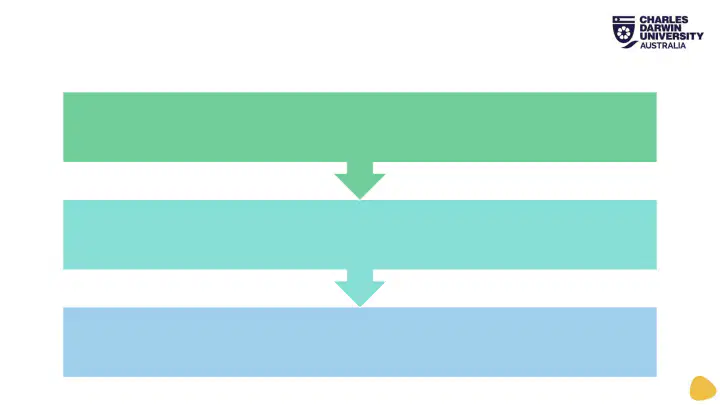
Using and Referencing AI
39
Did you acknowledge/reference your use of the tool?
Have you used the tool responsibly?
Are you allowed to use the tool?
45
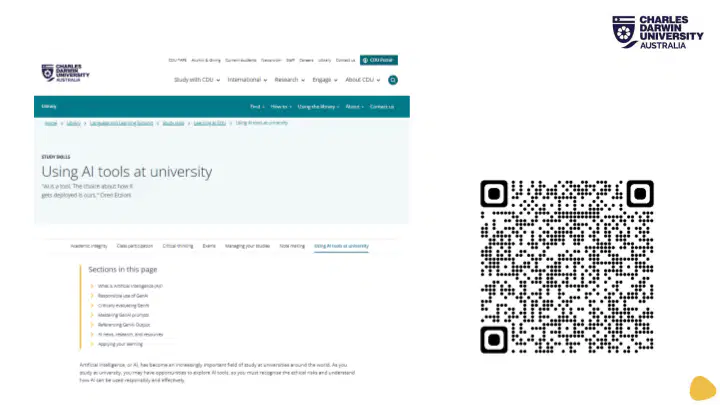
Check out the Study Skills page
40
Scan the code to
go to the page now
46

41
Where to get help
Academic Language and Learning
Success Program
OR
Online Tutor (in Learnline)
•How to edit and proofread your writing
•Academic language assistance
•Structure and format assistance
•Paraphrasing, summarising and citing
CDU Library
•Finding relevant information
•Using research tools
•Evaluating resources
•Referencing using CDU Harvard
Your Lecturer/Tutor
•The content of your assignment
•The specific requirements of submission
•The format and final layout of your essay
•Clarification of tasks
47

42
Any questions?
askthelibrary@cdu.edu.au
08 8946 7016
+61 4 8885 0811 (text only)
FAQs on the Library website
Book a Librarian: https://www.cdu.edu.au/library/librarians
CRICOS Provider No: 00300K (NT/VIC) 03286A (NSW) RTO Provider No: 0373 TEQSA Provider ID PRV12069
Find and evaluate information,
reference it, and avoid plagiarism
Charles Darwin University Library
Darcy Sorensen, Academic and Research Librarian
Show answer
Auto Play
Slide 1 / 47
SLIDE
Similar Resources on Wayground

43 questions
SENSITIVITY ANALYSIS
Presentation
•
University
39 questions
METABOLISME ASAM AMINO GENAP 24/25
Presentation
•
University
44 questions
Super Pete
Presentation
•
KG
44 questions
ACCTG101 Receivables I
Presentation
•
University
40 questions
ترفيه
Presentation
•
University
44 questions
Juego
Presentation
•
KG - University
42 questions
B1 week 2
Presentation
•
University
38 questions
Community acquired pneumonia
Presentation
•
University
Popular Resources on Wayground
24 questions
PBIS-HGMS Day 10

Quiz
•
6th - 8th Grade
10 questions
HCS SCI 03 Summer School Review 3
Quiz
•
3rd Grade
11 questions
Home Scope
Quiz
•
7th - 8th Grade
15 questions
HCS SCI 05 Summer School Assessment 3 Review
Quiz
•
5th Grade
35 questions
Lufkin Road Middle School Student Handbook & Policies Assessment
Quiz
•
7th Grade
18 questions
Geo 11.3 Area of Circles and Sectors
Quiz
•
9th - 11th Grade