


OS: Peripheral and User Management
Presentation
•
Computers
•
9th - 10th Grade
•
Medium
Calum Gordon
Used 20+ times
FREE Resource
13 Slides • 16 Questions
1
OS: Peripheral and User Management
How the OS manages I/O and users
2
3
4
5
6
Fill in the Blanks
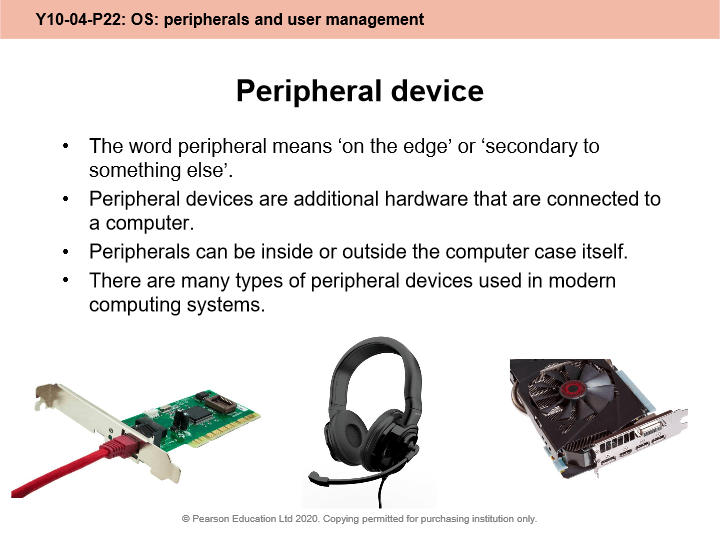
What do we call additional computing devices that are attached to extend the computer's capabilities?
Type answer...
7
Multiple Select
Which of these devices are peripheral devices?
keyboard
printer
RAM
Joystick
CPU
8
9
Fill in the Blanks
Software programs that provide an interface between a hardware device and the operating system are called
Type answer...
10
Multiple Select
Which of these hardware devices requires a driver?
Webcam
Joystick
Network interface card
Graphic card
External SSD
11
12
Multiple Choice
‘The operating system must provide an environment in which a user can execute programs conveniently and efficiently.’
Which word do you think best describes how the OS achieves this?
abstraction
decomposition
virtualising
simulating
13
14
Multiple Select
The two most common types of user interface are _________
GUI
HCI
Menu-driven
CLI
15
16
Multiple Choice
GUI stands for " ___________ User Interface"
Great
Graphics
Graphical
17
Multiple Select
Choose all the examples of GUI-based operating systems ...
Microsoft Windows
Apple OSX
Unix
Android
Apple iOS
18
Multiple Select
Choose all the advantages of using a GUI ...
Easier for novice users
More intuitive
Harder to make mistakes
Provides low-level of control
19
20
Fill in the Blanks
CLI stands for "
Type answer...
21
Multiple Select
Which these operating systems are based on a CLI?
MS-DOS
Unix
Linux
Windows
OSX
22
Multiple Select
Choose all the advantages of using a CLI ...
More detailed control over the computer
Better for systems administrators
Uses less system resources
Easier to use
Safer from making mistakes
23
24
25
Multiple Choice
How does the OS give different levels of permissions to different users?
access control
different passwords
depends on system clock
depends on user's experience
26
Fill in the Blanks
What is the name of the process for checking that a logged in user is who they claim to be?
Type answer...
27
Multiple Select
Which of these methods could be part of a multi-authentication system?
username + password
code sent to mobile phone
fingerprint
swipe card
28
29
Multiple Select
What have you learned in this lesson?
Describe how the OS uses drivers to communicate with and manage peripherals
Explain the purpose and features of a user interface
Define what is meant by ‘access control’.
Describe commonly used methods of authentication
OS: Peripheral and User Management
How the OS manages I/O and users

Show answer
Auto Play
Slide 1 / 29
SLIDE

Similar Resources on Wayground
23 questions
MacintoshOS Finder Basics
Presentation
•
10th Grade
23 questions
Virtual Private Server
Presentation
•
8th - 10th Grade
21 questions
Jaringan Komputer dan Internet
Presentation
•
10th Grade
20 questions
Segurança de Internet
Presentation
•
9th Grade
20 questions
Algorithms and Programs- Control Structures
Presentation
•
8th - 11th Grade
21 questions
Sistem Komputer (Pertemuan 2)
Presentation
•
10th Grade
25 questions
Recuperação 01 (Pensamento Computacional)
Presentation
•
KG
19 questions
Parts of the motherboard
Presentation
•
10th Grade
Popular Resources on Wayground
10 questions
Safety Day 2026 – Student Review
Quiz
•
9th Grade
21 questions
Continents and Oceans
Quiz
•
6th Grade
20 questions
Parts of Speech
Quiz
•
5th Grade
16 questions
Subject & Predicate
Quiz
•
5th Grade
25 questions
Multiplication Facts
Quiz
•
5th Grade
12 questions
Map Skills
Quiz
•
3rd Grade
22 questions
Continents and Oceans
Quiz
•
5th Grade
15 questions
Rounding Decimals
Quiz
•
5th Grade